Localization
The localization and translation page is available when the Moodle LMS supports more than one language.
It allows the form designer to translate the form interface, field content, options, and validation messages.
When users change their Moodle language, the form is displayed using the corresponding available translation.
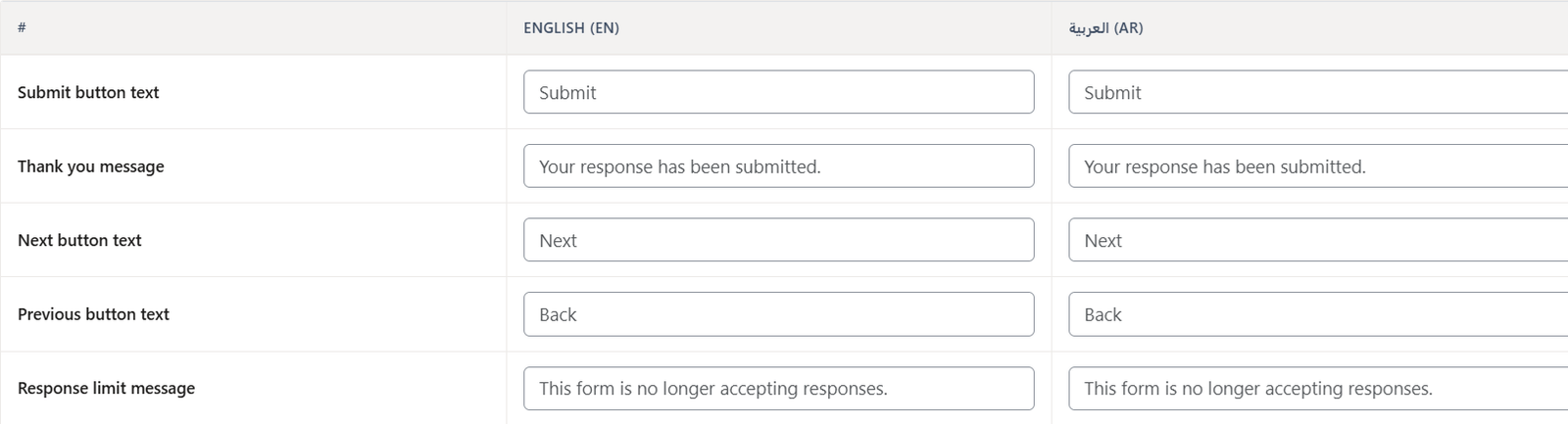
Form Text Translation
The following general form text can be translated or customized:
- Thank-you message
- Submission success message
- Response-limit message
- Next button text
- Previous button text
- Submit button text
Field Translation
The following content can be translated for each field:
- Field label
- Export alias
- Default value
- Help text
- Placeholder
- Field options
- Options for fields that require it
- Rows for fields that require it

Note: For the main language of the form fields, you can change it from the Designer or override it through the page translation. When you create a form, its default language will be the default language of Moodle at the time the form is created.
Validation Message Translation
Default validation messages can also be customized and translated.
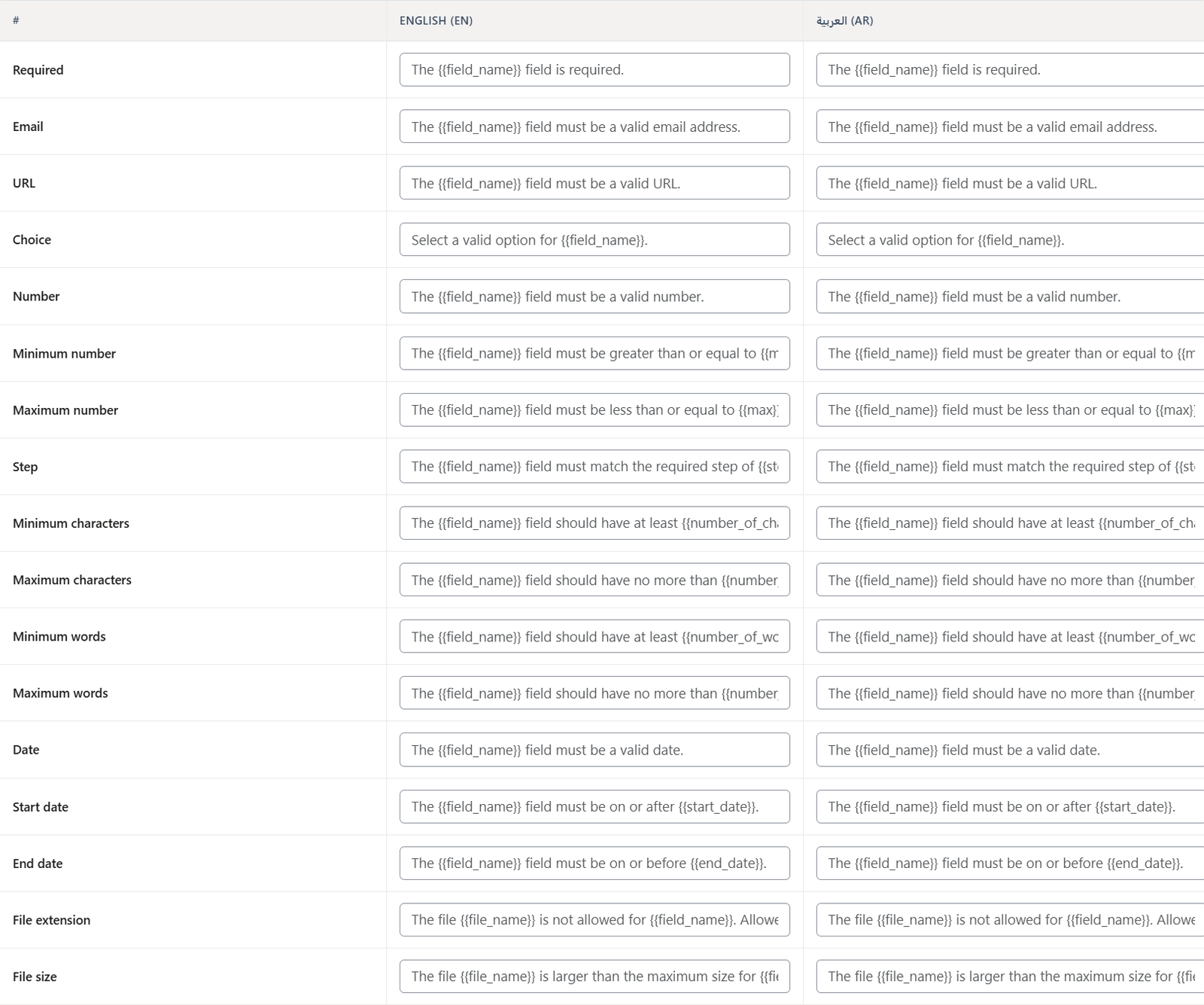
Examples include:
- The field is required.
- The field must be a valid email address.
- The field must be a valid URL.
- Select a valid option for the field.
- The field must be a valid number.
- The field must be greater than or equal to {{min}}.
- The field must be less than or equal to {{max}}.
- The field must match the required step of {{step}}.
- The field should have at least {{number_of_characters}} characters.
- The field should have no more than {{number_of_characters}} characters.
- The field should have at least {{number_of_words}} words.
- The field should have no more than {{number_of_words}} words.
- The field must be a valid date.
- The field must be on or after {{start_date}}.
- The field must be on or before {{end_date}}.
- The file {{file_name}} is not allowed for the field. Allowed extensions: {{allowed_extensions}}.
- The file {{file_name}} is larger than the maximum size for the field. Maximum size: {{max_size}}.
Note: When modifying or translating the original validation message, make sure to retain all placeholders enclosed in double curly brackets, such as {{field_name}} or {{max}}. These placeholders represent dynamic values that will be automatically replaced by the system.
Was this page helpful?