Drag & Drop Builder
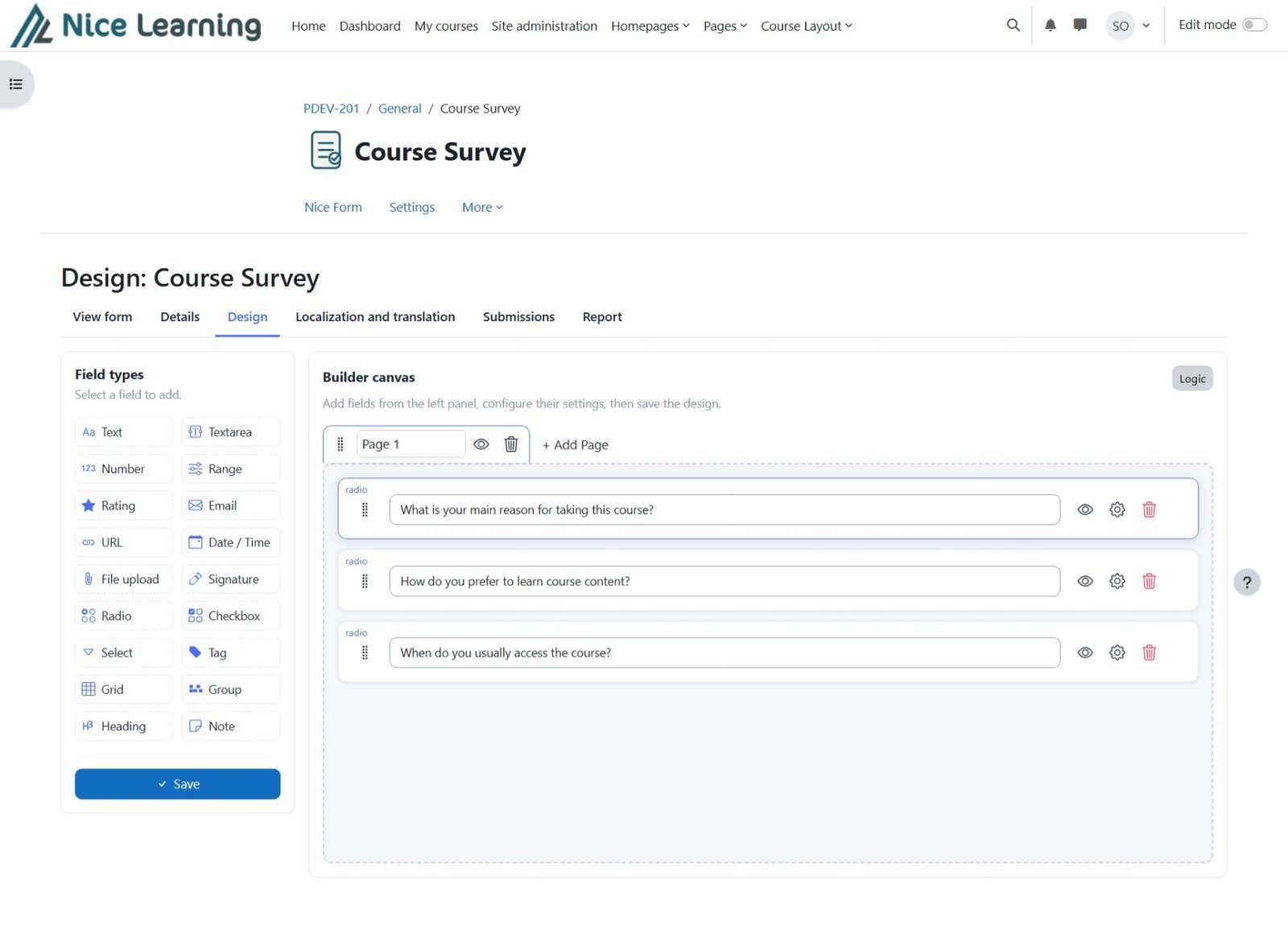
Add, reorder, and configure fields on a visual canvas — no code and no page reloads.
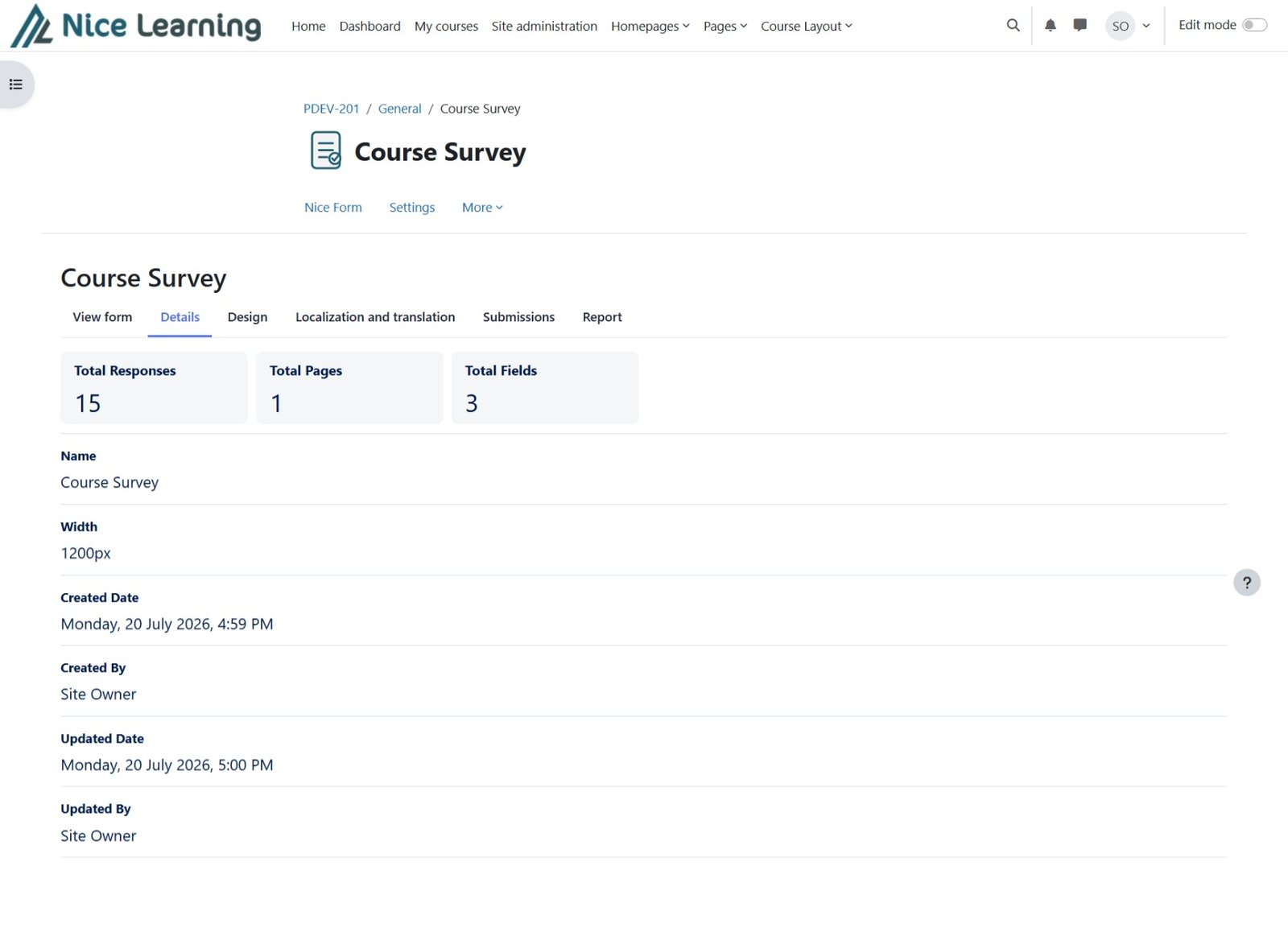
Nice Form turns any Moodle course into a place to collect structured data — surveys, feedback, and registrations — built visually, answered on Moodle Web or in the Official Moodle App, and understood through built-in reports.
A single activity that replaces spreadsheets, paper forms, and third-party survey tools — on Moodle Web and in the Official Moodle App.
Add, reorder, and configure fields on a visual canvas — no code and no page reloads.
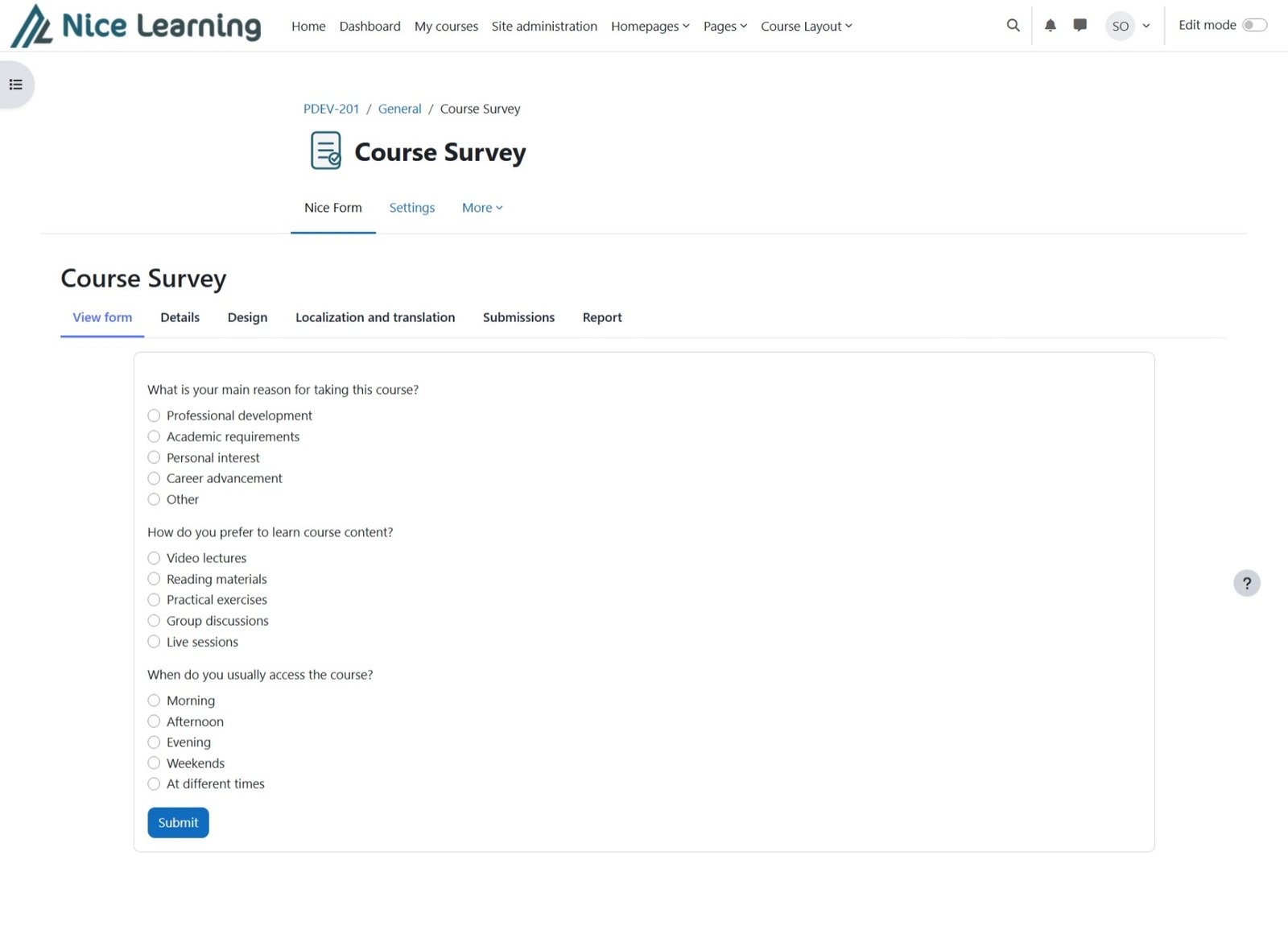
Create forms using text, choice, date, rating, signature, grid, file upload, and grouped fields.
Show, hide, or skip fields and pages automatically based on answers provided earlier in the form.
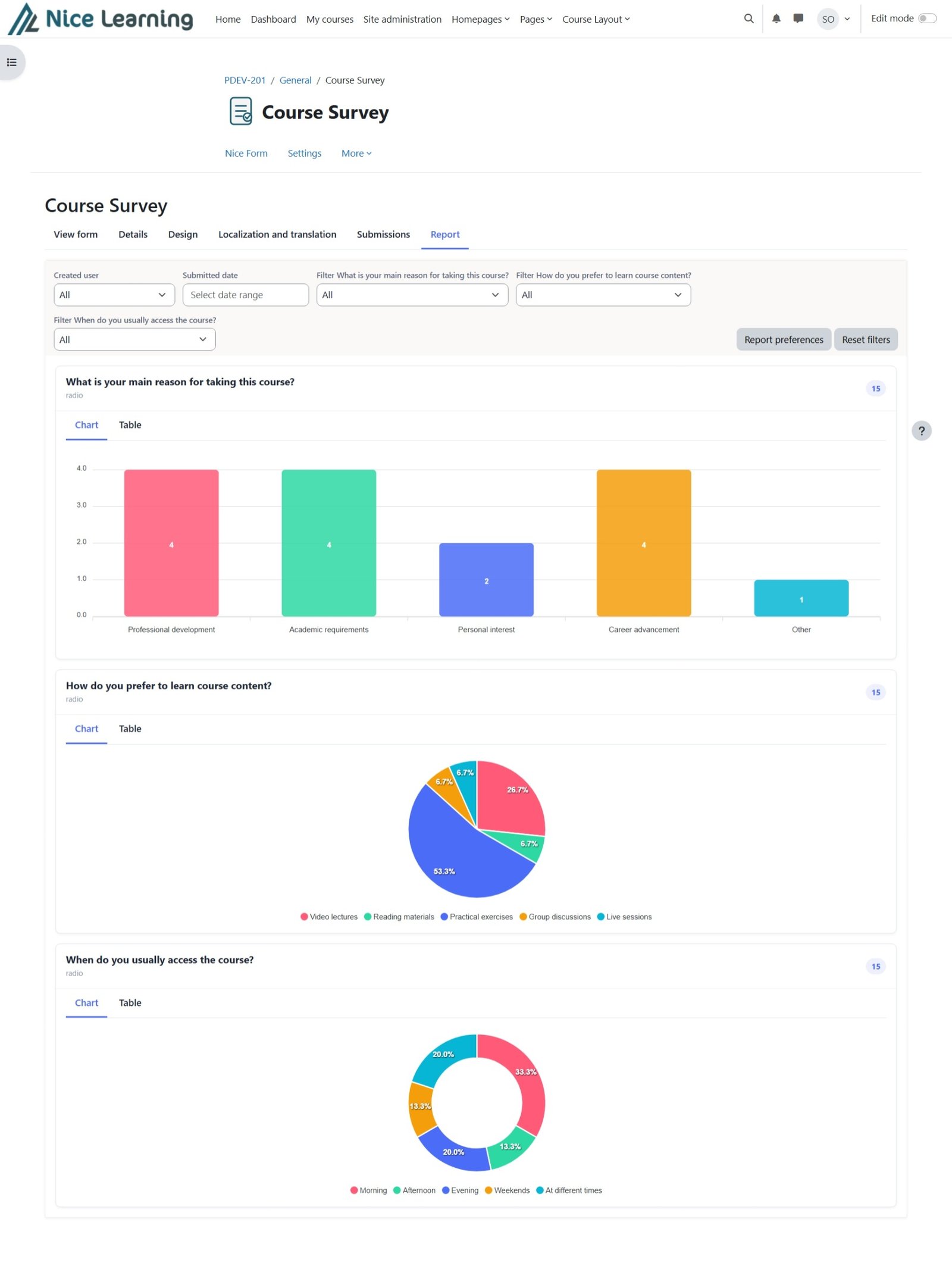
Review responses using clear charts and tables, then export structured results to Excel in one click.
Mix and match more than twenty field types on the same form, including rich text, signatures, and file uploads handled through Moodle’s own file API. The same field types render natively in the Official Moodle App.
Nice Form includes full support for the Official Moodle App. Learners can open and complete forms inside the app with native mobile rendering while the same form continues to work on Moodle Web.
Forms render natively inside the Official Moodle App for a mobile-first learner experience.
Use the same Nice Form field types across Moodle Web and the Official Moodle App.
Next and previous navigation and multipage form flow are supported on mobile.
Required fields and validation rules continue to protect data quality in the app.
Show, hide, skip, and branching rules behave consistently on web and mobile.
Learners can include supported files as part of their mobile form submission.
Complete and submit the form from the Official Moodle App using the same activity.
Translated labels, options, navigation text, and validation messages carry into mobile rendering.
Nice Form records the submission source so administrators can distinguish responses submitted through Moodle Web from those submitted through the Official Moodle App.
Pick a field type from the palette, drop it onto the canvas, and configure it in place. Reorder fields with drag handles, group related questions, and split long forms into multiple pages — all from one screen.
Build rules that react to earlier answers: reveal a follow-up question, jump straight to a relevant page, disable a field, or end the form early. The same rules are applied when the form is completed in the Official Moodle App.
Configure Moodle and email notifications for submitters, site administrators, form creators, and selected course users. Each audience can have its own delivery rules and fully customizable notification template.
Confirm each submission through Moodle, email, or both, using the logged-in account or an email field in the form.
Notify the site administrator, form creator, selected administrators or instructors, and additional course users.
Insert form answers, submission details, course information, and management links directly into the subject and body.
Review desktop, tablet, and mobile layouts, then send a sample message to any valid email address before saving.
Choose how the submitter receives confirmation.
Customize the subject and message delivered to the submitter.
Dear {{submitter_name}},
Your {{form_name}} response was received successfully.
Choose which administrators and course staff receive the alert.
Customize the alert sent to administrators and form managers.
A new response was submitted by {{submitter_name}}.
Submission: {{submission_id}}
Date: {{submission_datetime}}
Open the submission using {{manage_submission_url}}.
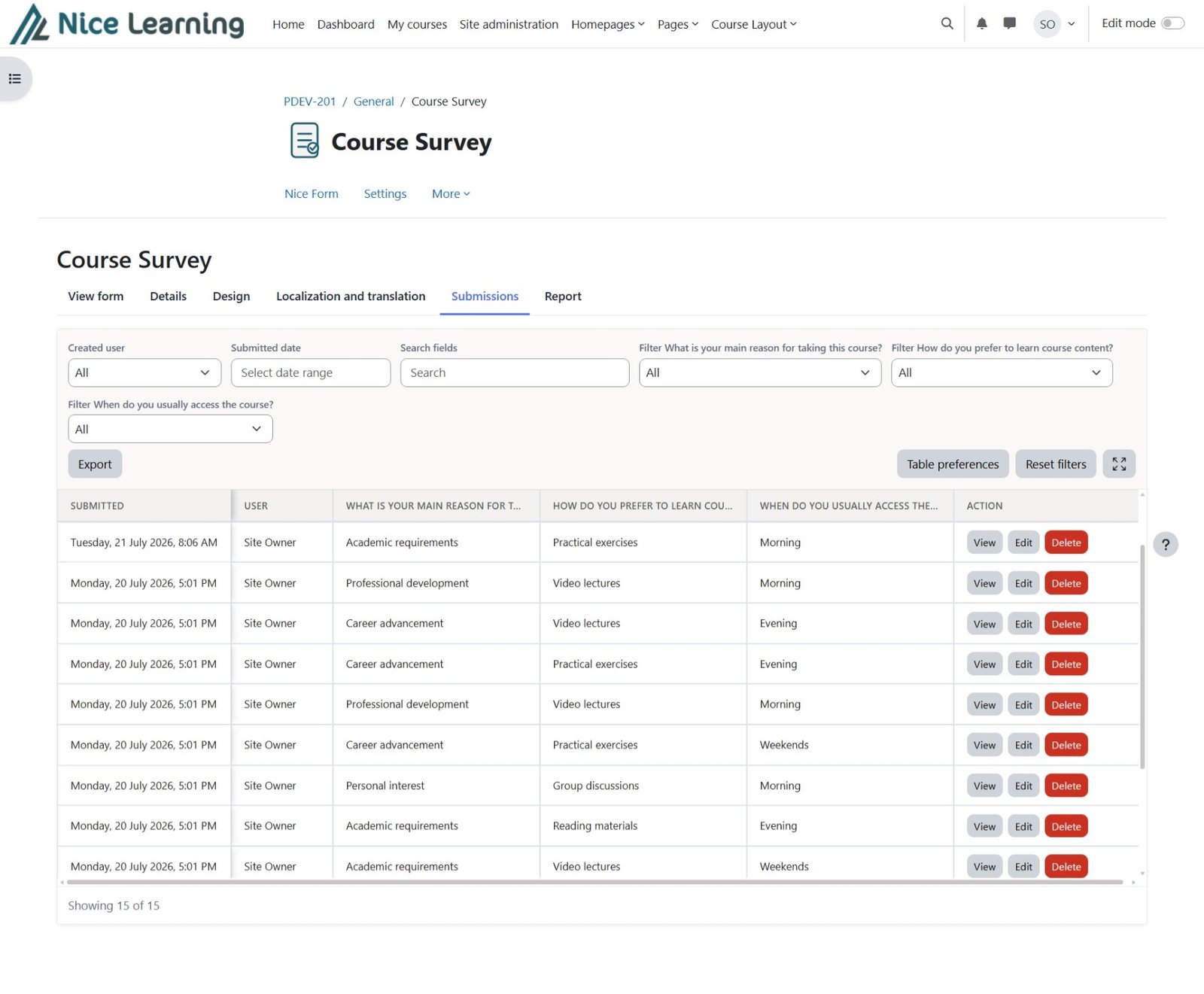
Search, filter, and sort responses in a familiar table. Track whether each response came from Moodle Web or the Official Moodle App, choose which columns you see, export to Excel, or open a single submission to view or edit it.
Export all form files and signatures in one ZIP archive, including files uploaded through supported form fields on Moodle Web or the Official Moodle App. Export a specific field when needed and build filenames from form values.
Signature · 1 file
Multiple files · 2 files
Every choice-based field is charted automatically. Switch between chart and table view, filter by any field, and save your preferred report layout.
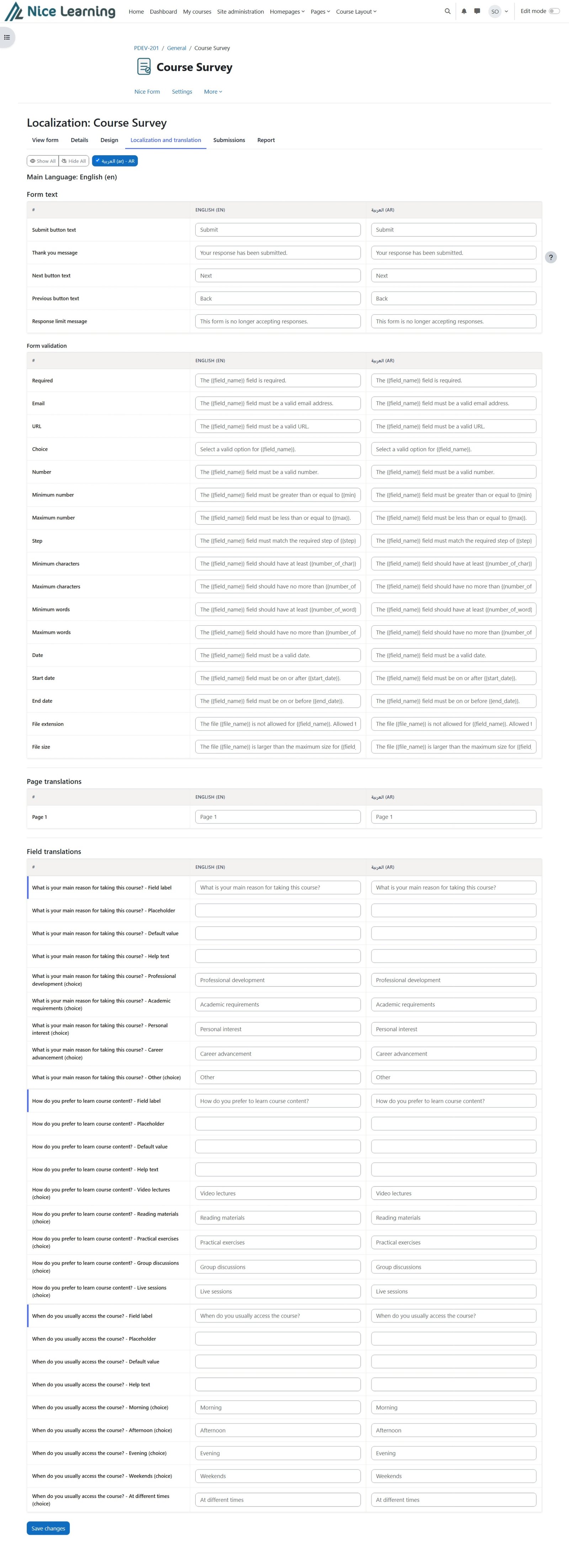
Translate form text, field labels, options, page names, buttons, and validation messages side by side with the main language. Translations are used on Moodle Web and in the Official Moodle App, with full right-to-left support.
Control who can view, edit, submit, and manage each form using standard Moodle capabilities.
Mark the activity complete automatically after a learner submits a response.
Forms, logic, and submissions move with your course through Moodle’s backup and restore tools.
Download form submissions as structured XLSX files for reporting and offline analysis.
Render and submit forms natively in the Official Moodle App with Web / Mobile source tracking.
Install Nice Form on your Moodle site and start collecting structured responses on the web and through the Official Moodle App in minutes.