Design
The design page is used to create and organize the form.
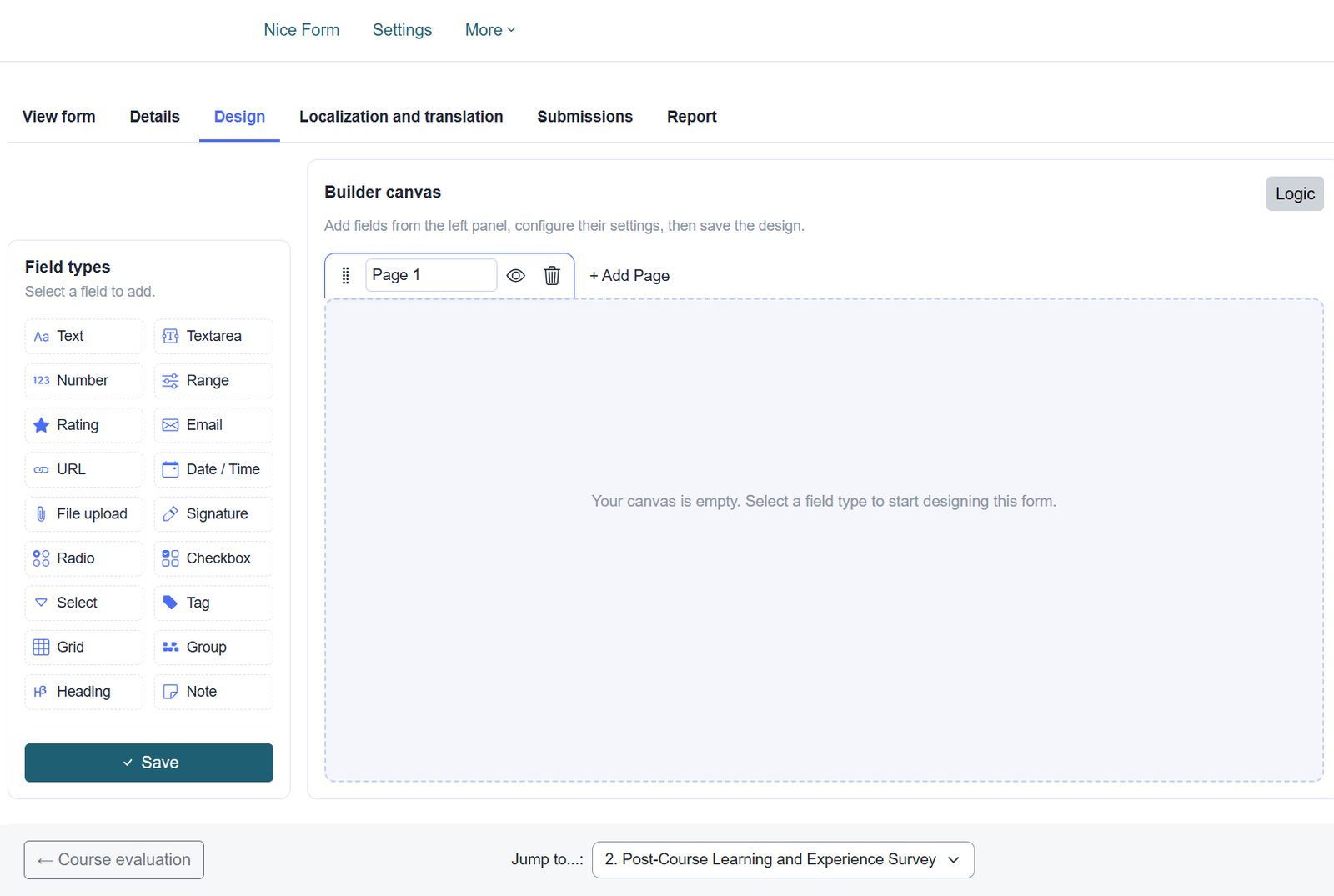
Fields can be added to the form in either of the following ways:
- Click a field type to add it to the form.
- Drag and drop a field type into the required position.
After adding fields, the form designer can:
- Reorder fields
- Edit field settings
- Delete fields
- Activate or deactivate fields

An inactive field remains saved in the form design but is not displayed to users.
Multi-page Forms
The form can contain one page or multiple pages.
For multi-page forms, the designer can:
- Add new pages
- Rename pages
- Reorder pages
- Move fields between pages

Conditional Logic
The Logic button allows the form designer to create conditional rules that control the behavior of fields and pages.
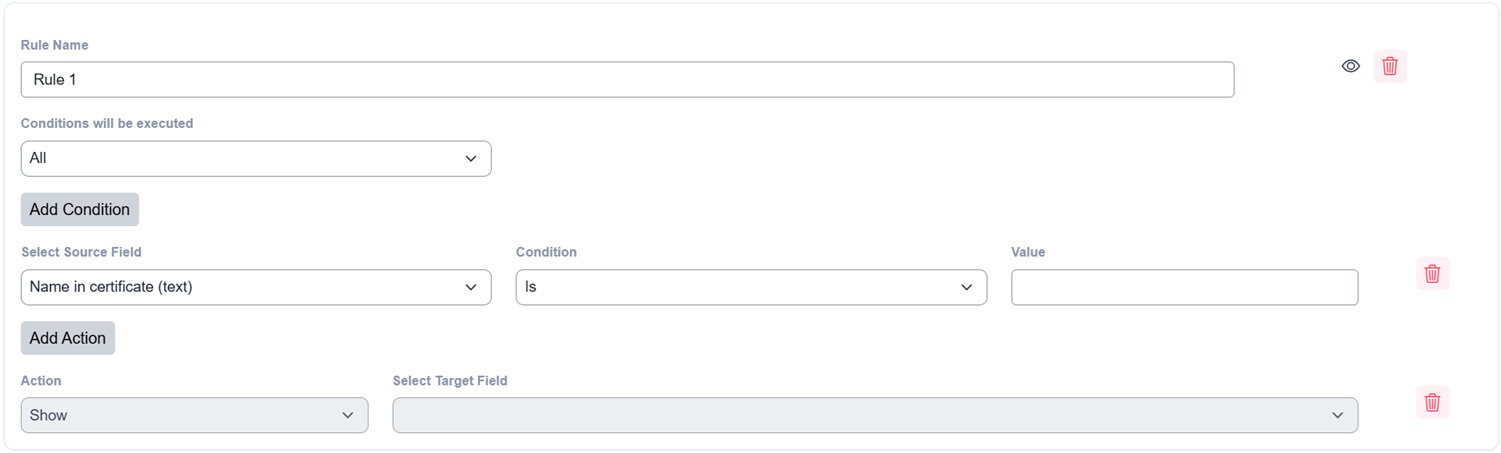
A rule contains:
- One or more conditions
- One or more action to perform
Available Actions
Conditional logic can perform the following actions:
- Show a field
- Hide a field
- Enable a field
- Disable a field
- End the form
- Go to a specific page in a multi-page form
Matching Multiple Conditions
When a rule contains more than one condition, the designer can select one of the following options:
All Conditions
The action is performed only when all specified conditions are met.
Any Condition
The action is performed when at least one of the specified conditions is met.
Logic Operators by Field Type
Text, Textarea, and Email Fields
The following operators are available:
- Is
- Is not
- Contains
- Does not contain
- Starts with
- Ends with
- Is empty
- Is not empty
URL Fields
The following operators are available:
- Is
- Is not
- Contains
- Does not contain
- Starts with
- Is a valid URL
- Is empty
- Is not empty
Number and Range Fields
The following operators are available:
- Is
- Is not
- Greater than
- Less than
- Greater than or equal to
- Less than or equal to
- Is empty
- Is not empty
Radio, Select, Checkbox, Rating, Grid, and Grid Select Fields
The following operators are available:
- Is option selected
- Is option not selected
File Fields
The following operators are available:
- Has a file
- Does not have a file
Tag Fields
The following operators are available:
- Has tags
- Does not have tags
- Contains tag
- Does not contain tag
Date Fields
The following operators are available:
- Equals
- Does not equal
- Is before
- Is after
- Is on or before
- Is on or after
- Is today
- Is not today
- Is before today
- Is after today
- Is empty
- Is not empty
Was this page helpful?