Submissions
The Submissions page displays users who have been issued a document. You can filter records, export data, customize the table, and manage issued documents.
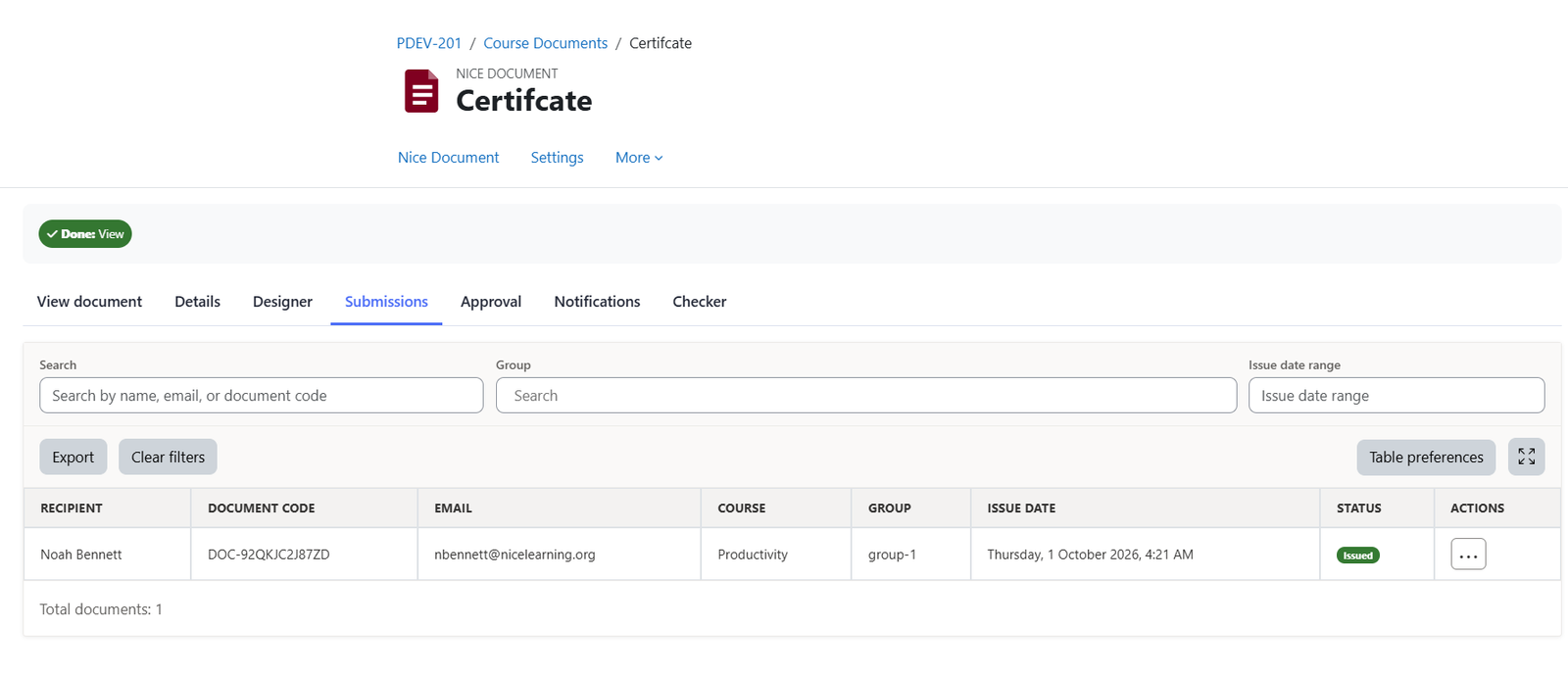
Filters
- Search: Find records by recipient name, email address, or document code.
- Groups: Filter records by one or more groups.
- Issue date range: Filter records by the date the document was issued.
Export
Export the data to Excel. The export respects your selected filters and includes all matching records across all pages.
Table preferences
Each user can customize the table to suit their needs:
- Visible filters: Reorder, show, or hide the Search, Groups, and Issue date range filters.
- Visible columns: Reorder, show, or hide the Recipient, Document code, Email, Course, Groups, Issue date, and Status columns.
Actions
Each record includes the following actions:
- Delete: Permanently delete the record, its associated issued documents, and the document code.
- Revoke: Revoke the issued document while retaining the record. When the user opens the document page again, they will no longer be able to view the issued document.
Was this page helpful?
Please tell us what went wrong.
255 characters remaining
Thanks! Your feedback helps us improve this page.
Please wait a few seconds before trying again.