Designer
The design page is used to create and organize the document.
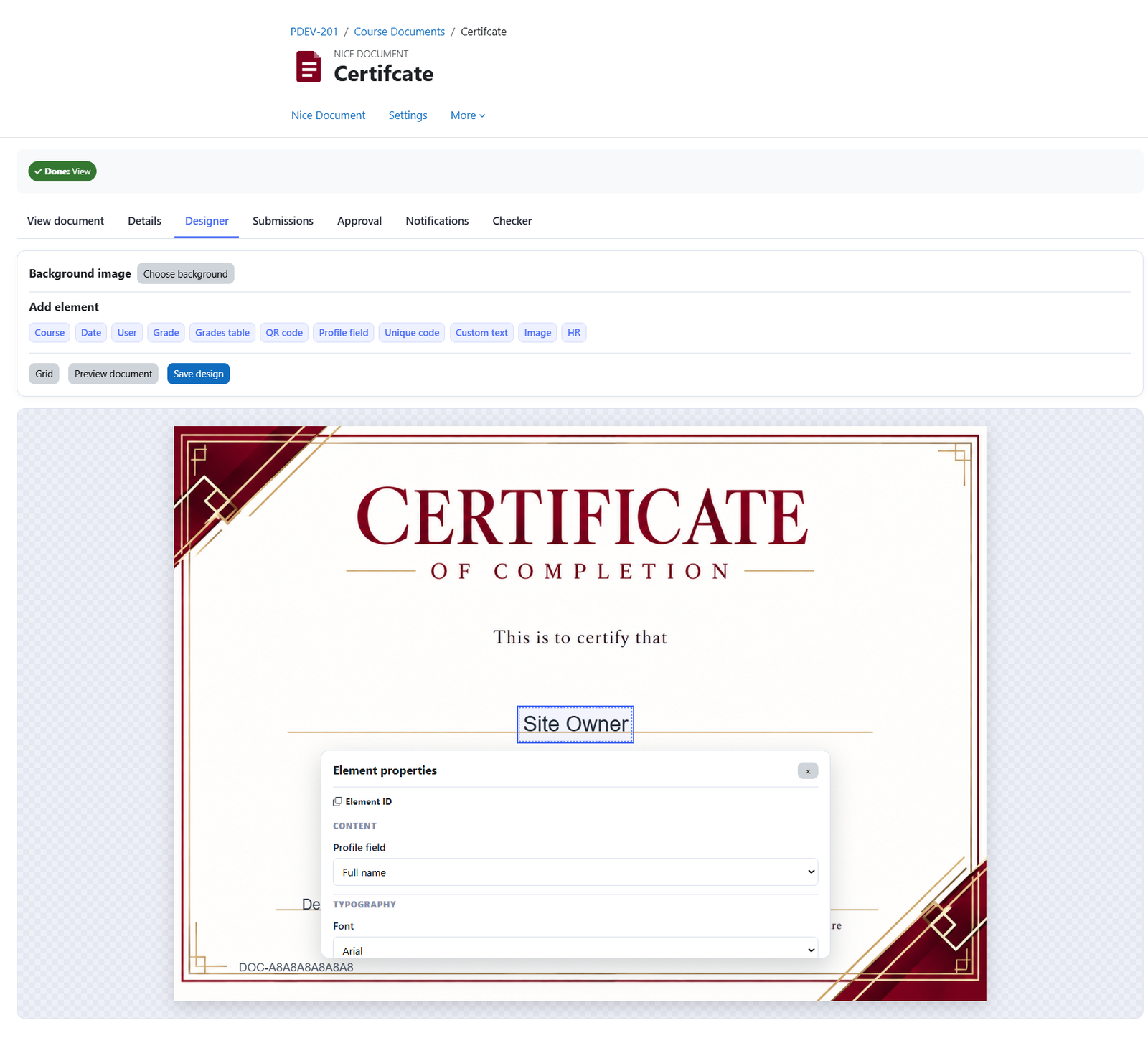
You can add elements, adjust their positions, set a background image, and preview your design before saving.
Set a background image
Upload an image to use as the document’s background.
Add an element
Click any element to add it to the canvas.
Element properties
Click any element to display its properties section, where you can adjust settings such as the element ID, typography, font size, color, and position. For more information about each element and its settings, visit the Elements page.
Position an element
Drag the element to your preferred position, or click it to select it and use the arrow keys to move it.
Show the grid
Click the Grid button to display grid lines on the canvas, helping you align and position elements.
Preview the document
Click Preview document to open the PDF in a new tab and see how your changes appear.
Save your design
Once you have finished designing your document, click Save changes to save your work.
Was this page helpful?