Approval
The Approval page allows authorized users to approve or decline users’ documents. This page is available only when Completion conditions is set to Add requirements and Require manual approval is enabled in the activity settings.
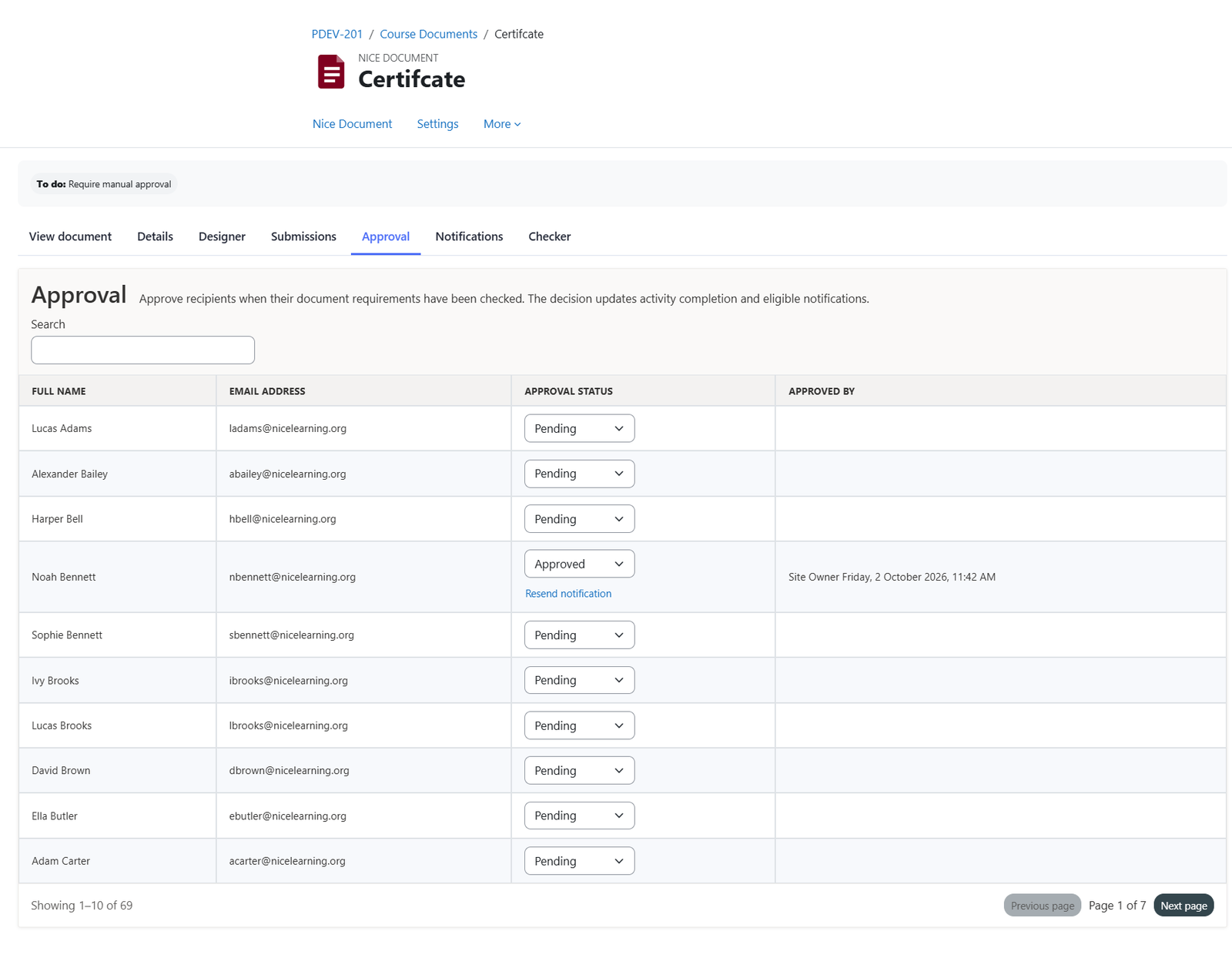
Approval records
The page lists the below:
- User’s full name
- Email address
- Approval status: Pending, Not approved, or Approved.
- Approved by
Approval decisions
Changing the approval status updates the user’s activity completion and triggers any applicable notifications.
Notifications
When a document is approved, the student receives an email with the document attached, or a notification through the Moodle app if configured. Approval notifications and document attachments are enabled by default.
Note: To customize the email content and notification settings, visit the Notification page.
Was this page helpful?
Please tell us what went wrong.
255 characters remaining
Thanks! Your feedback helps us improve this page.
Please wait a few seconds before trying again.