Checker
The Checker page lets authorised users verify a document issued by this activity. Enter the unique code from the document to check whether the copy is currently valid.
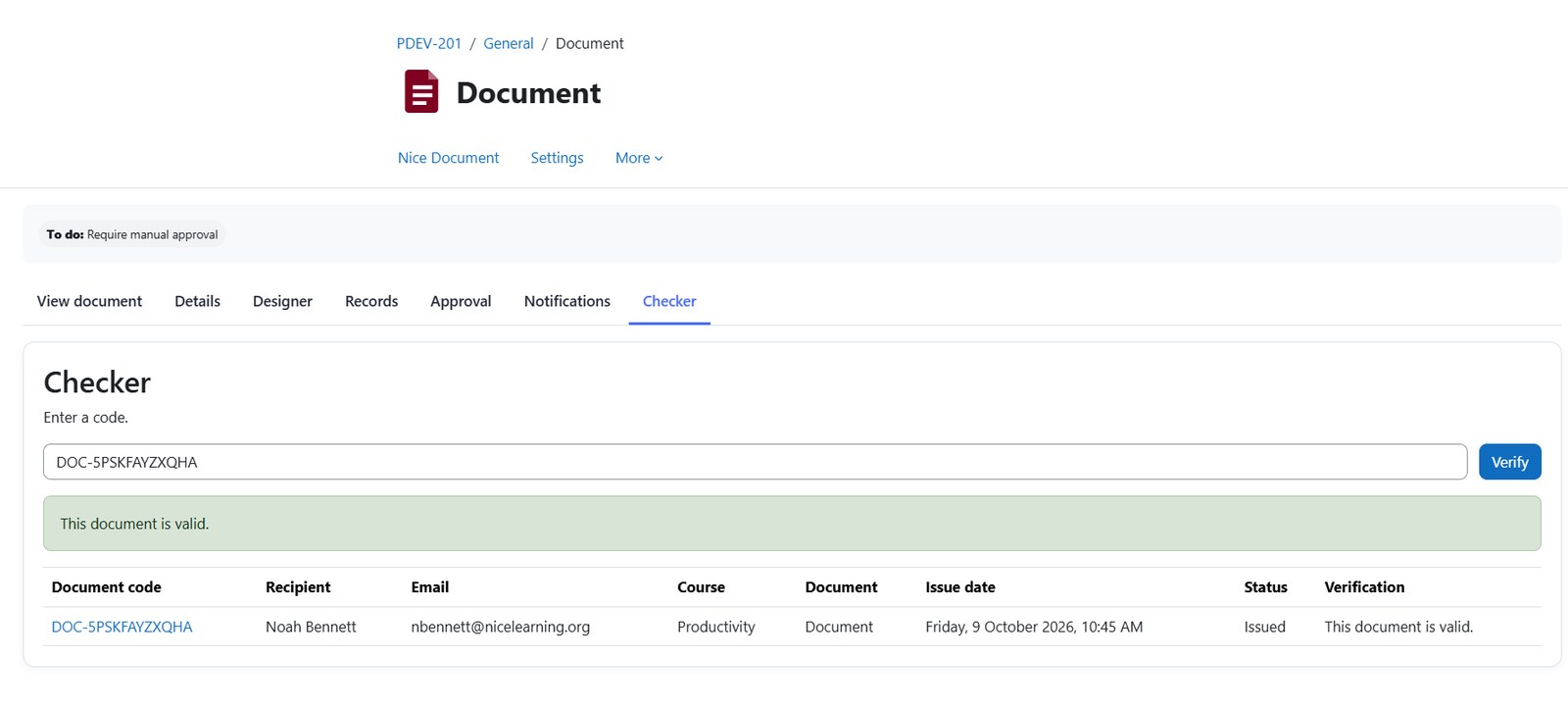
Verify a document
- Open Checker in the activity that issued the document.
- Enter the full code in the Enter document code field, including any prefix or hyphens.
- Select Verify.
Read the result
When the code matches a record, the page shows the document code, recipient, course, document name, issue date, status, and verification result. The recipient’s email address is also shown if you have permission to view it.
- Issued – The copy is current and any required approval is in place. The verification result reads This document is valid.
- Not approved – The code matches an issued record, but the required approval is pending or was declined. The copy is currently invalid.
- Revoked – Staff have withdrawn the document. Its record remains available for verification, and the copy is currently invalid.
- Superseded by a later revision – Staff have issued a corrected PDF. The code identifies an earlier copy. Use the code on the latest PDF to verify the corrected document.
Code not found. If you see This document code is invalid for this activity., check that you entered the complete code and opened the Checker in the activity that issued the document.
Was this page helpful?
Please tell us what went wrong.
255 characters remaining
Thanks! Your feedback helps us improve this page.
Please wait a few seconds before trying again.