Notifications
The Notifications page allows you to create and customize notification rules for document recipients, administrators, teachers, and other roles. Messages can be delivered by email or through the Moodle mobile app, depending on your configuration.
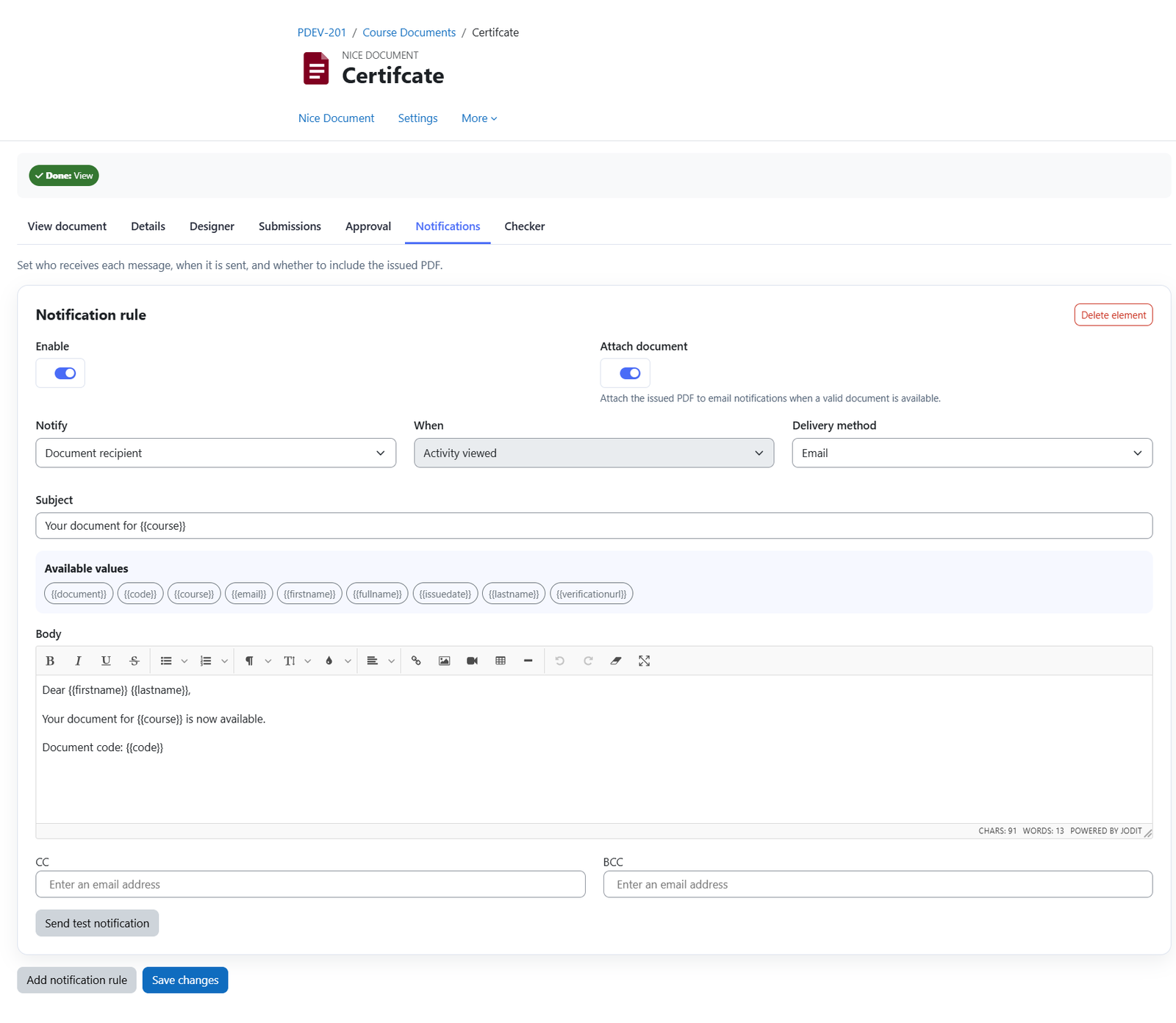
Enable
Enable or disable the notification rule.
Attach document
Attach the document to the recipient’s email. Notifications delivered through the Moodle mobile app display only the message.
Notify
Select who should receive the notification:
- Document recipient
- Administrator
- Teacher
- Non-editing teacher
- Manager.
Condition
Choose when the notification is triggered:
- View the activity
- Approved
- Not approved.
Not approved actions
When you select Not approved, you can choose to
- Send an email only
- Send an email and suspend the user’s course enrolment
- Send an email and suspend the user’s Moodle site account.
Message
To preapre the message that will be sent.
Subject
Enter the email subject.
Placeholders
Personalize the subject and message body using the available values:
- Document
- Document code
- Course
- First name
- Full name
- Issue date
- Last name.
Body
Enter the message content.
CC
Add email addresses to receive a copy of the email.
BCC
Add email addresses to receive a hidden copy of the email.
Send test notification
Enter an email address to send a test notification to that recipient.
Save changes
Save your notification settings.
Add notification rule
Create additional rules with different recipients, conditions, or message content. For example, you can create separate messages for administrators and teachers.
Was this page helpful?