Course Content
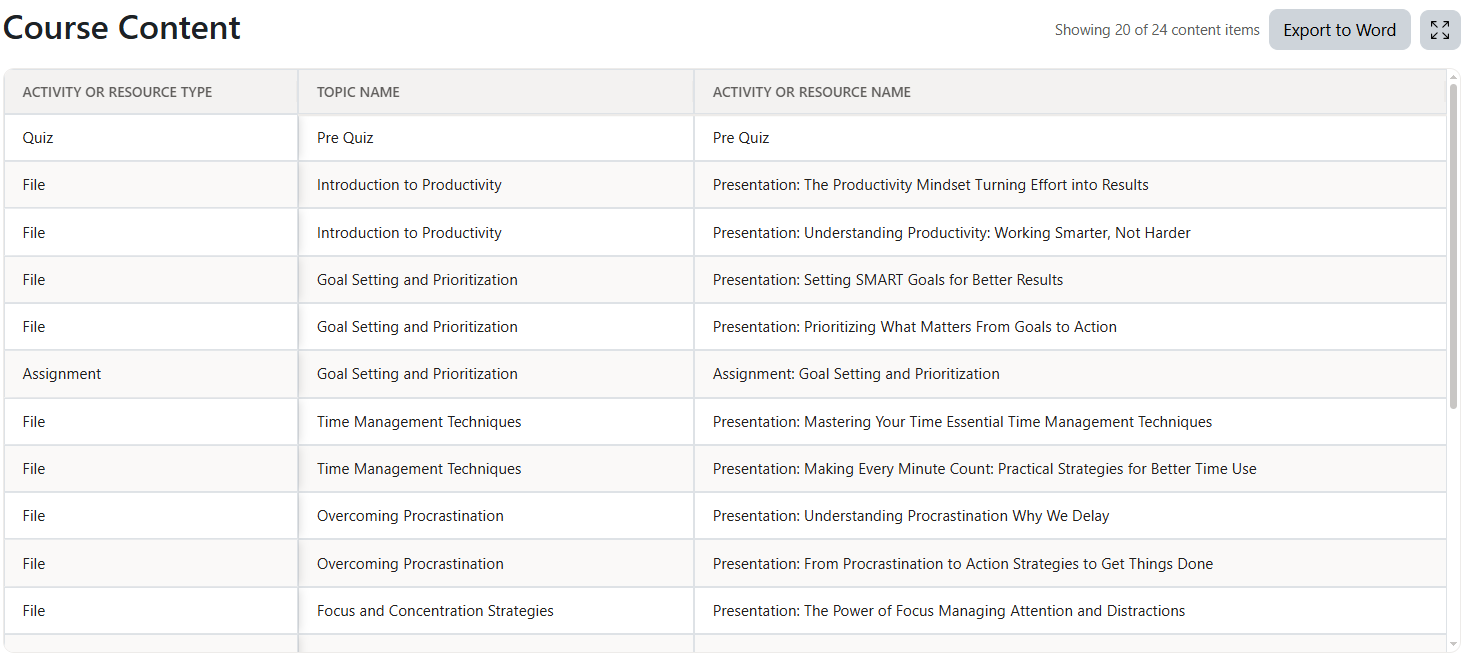
The Course Content section provides an organized overview of the activities and resources available in the course. It helps administrators and course managers review the course structure and export its content list to Word.
What You Can See
For each course item, you can view:
- Activity or resource type
- Topic or section name
- Activity or resource name
Deleted activities and resources are not displayed.
Full-Screen View
You can open the Course Content table in full-screen mode.

This provides more space for reviewing long activity names, topic names, and content types.
Export to Word
Select Export to Word to create a Word document containing the course content.
Before exporting, you can configure the document using the available export options.
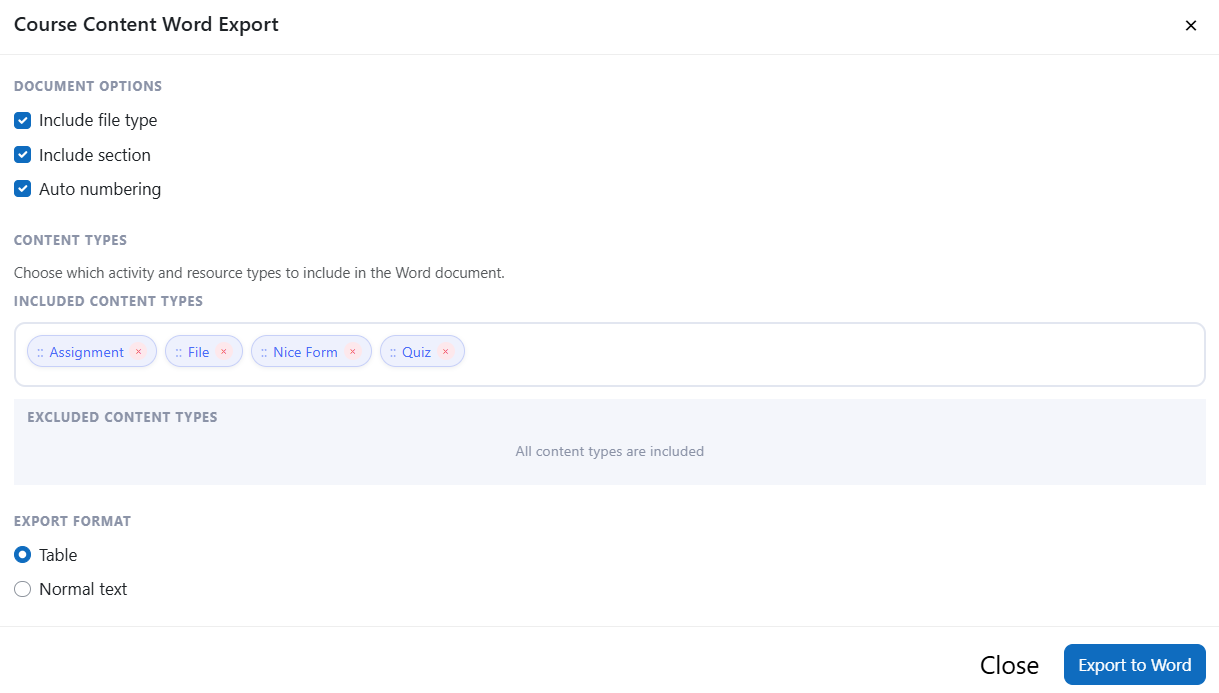
Document Options
You can choose whether the Word document includes:
- Activity or resource type
- Topic or section name
- Automatic numbering
Automatic numbering is enabled by default and adds a compact numbered column or numbered list to the exported content.
Content Types
You can control which content types are included in the Word document.
Content types are generated dynamically from the current course. For example, if the course contains assignments, quizzes, files, and SCORM packages, those types will be available in the export configuration.
You can:
- Drag content types between the included and excluded areas
- Select the remove button to exclude a content type
- Select the add button to include an excluded content type
Only the included content types are exported.
Export Format
Course content can be exported in either of the following formats:
- Table: Displays the selected information in a structured Word table.
- Normal text: Displays course content as a readable text list, organized by topic when topic names are included.
Report Preferences
The Course Content section can be managed through the report preferences.
You can:
- Show or hide the Course Content section
- Reorder it with the other report sections
Purpose
The Course Content section is useful for reviewing course structure, auditing available learning materials, and creating a printable or shareable course-content document. It can also help instructional designers check how activities and resources are organized across course topics.
Was this page helpful?