Groups
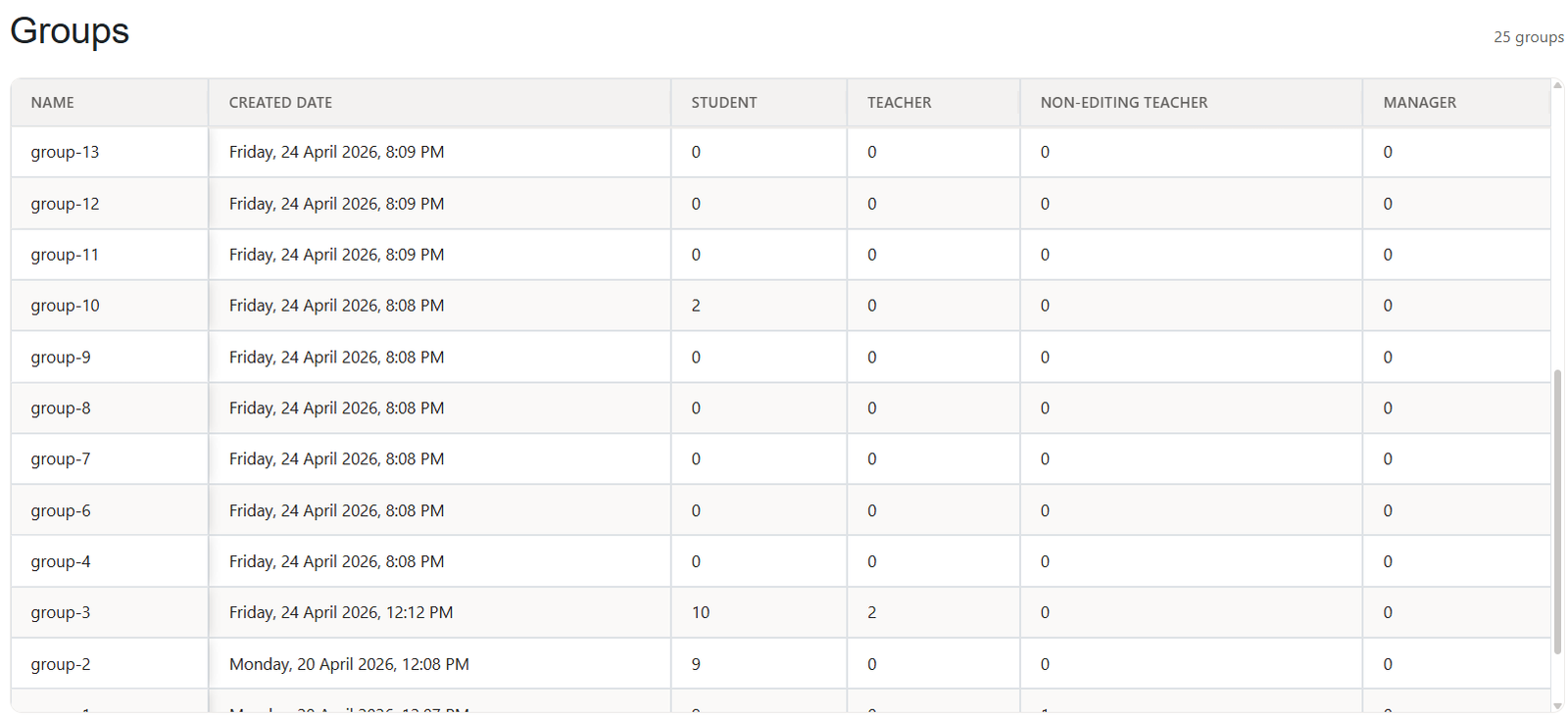
The Groups section displays information about the groups created inside a specific course. It allows administrators and course managers to review group structure and membership by role.
What You Can See
For each group, you can view:
- Group name
- Created date
- Number of students
- Number of teachers
- Number of non-editing teachers
- Number of managers
Purpose
The Groups section helps you monitor how users are organized within the course. It is especially useful for courses that use groups for training cohorts, classes, countries, teams, or learning tracks.
Was this page helpful?
Please tell us what went wrong.
255 characters remaining
Thanks! Your feedback helps us improve this page.
Please wait a few seconds before trying again.