Students
The Students section provides a detailed table of users enrolled in the course. It includes standard Moodle user fields, custom profile fields, enrollment information, and activity completion details.
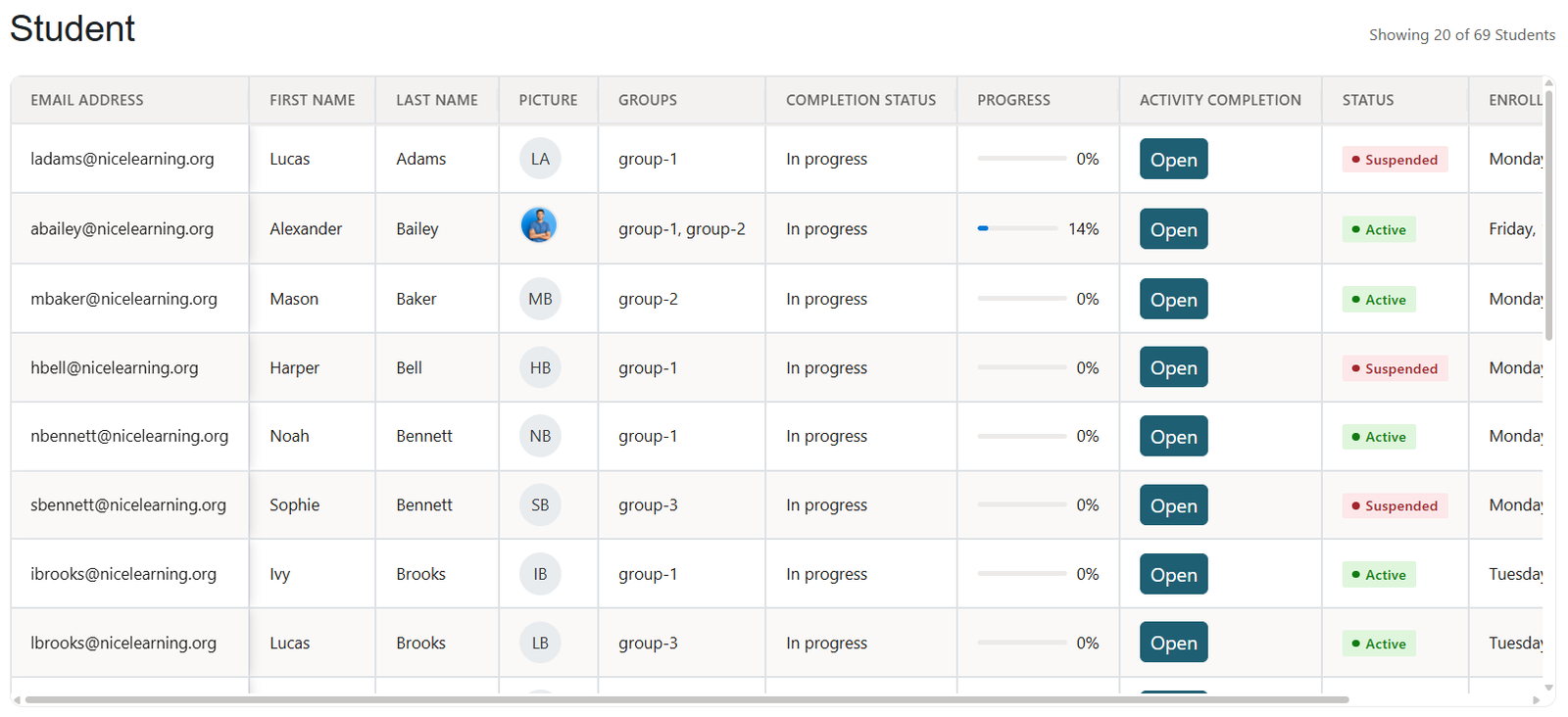
What You Can See
In this section, you can view:
- User profile information
- Custom user profile fields
- Group membership
- Activity completion status
- Course completion status
- Progress percentage
- User status, such as active or suspended
- Course enrollment date
Student Table Customization
You can adjust the Students table using the report preferences. This allows you to choose which columns appear in the table and control the order of the fields.
If you have created custom user profile fields, they will also appear as available fields and can be added to the Students table.
Available Student Fields
The following fields can be displayed in the Students table:
- Email address
- First name
- Last name
- User picture
- Groups
- Completion status
- Progress
- Activity completion status
- Enrolled date
- Username
- First name – phonetic
- Middle name
- Last name – phonetic
- Alternate name
- ID number
- Institution
- Department
- Phone
- Mobile phone
- Address
- Country
- City/town
- Timezone
- Description
- First access to the course
- Custom fields, if added
Was this page helpful?
Please tell us what went wrong.
255 characters remaining
Thanks! Your feedback helps us improve this page.
Please wait a few seconds before trying again.