Quizzes
The Quizzes section provides a detailed overview of all quizzes available in the course. It helps administrators and course managers review quiz settings, monitor attempts and grading progress, and compare participant results across multiple quizzes.
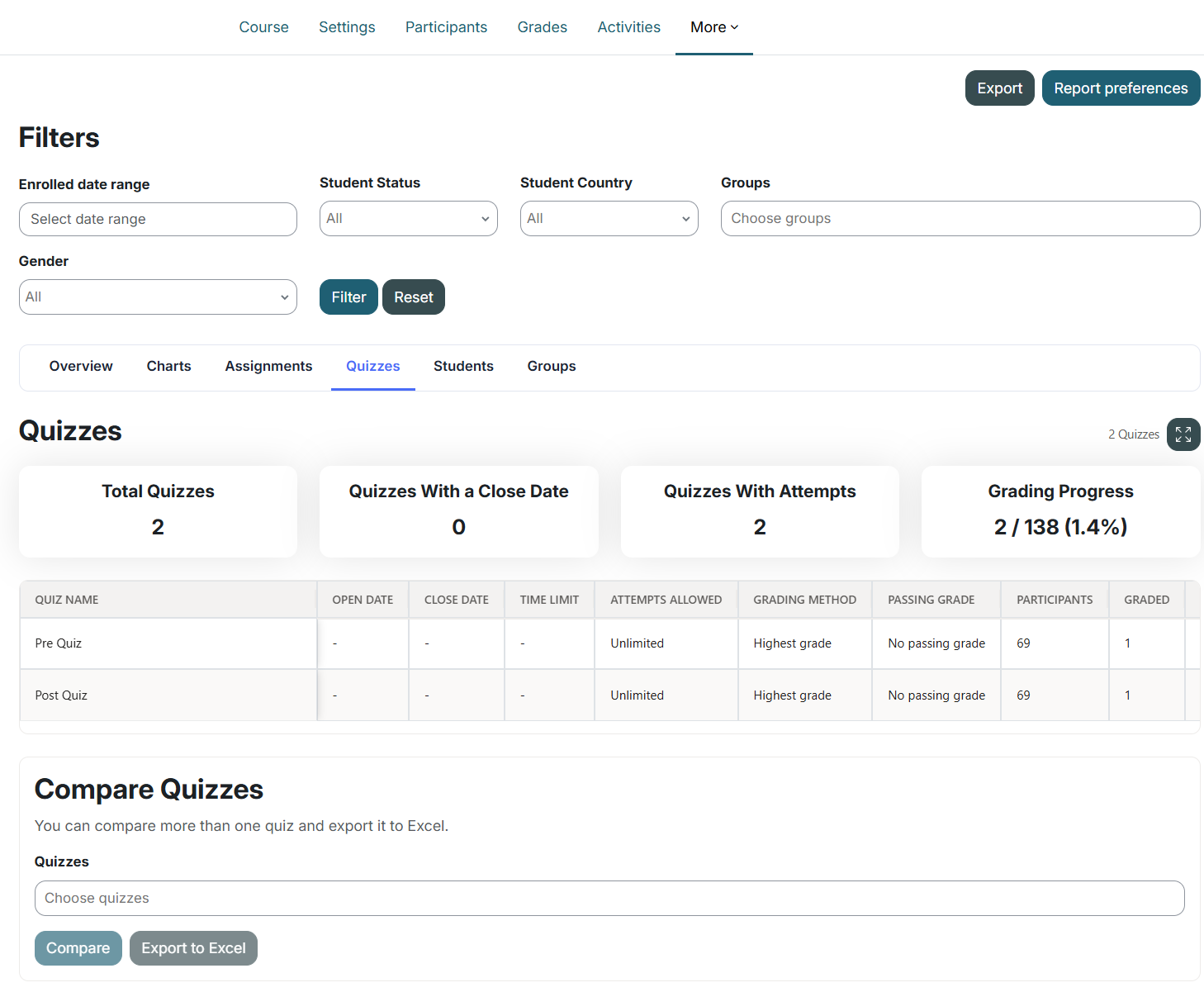
Quizzes Overview
At the top of the section, you can view:
- Total quizzes
- Quizzes with a close date
- Quizzes with attempts
- Overall grading progress
What You Can See
For each quiz, you can view:
- Quiz name
- Open date
- Close date
- Time limit
- Attempts allowed
- Grading method
- Passing grade
- Number of participants
- Number of graded participants
Viewing Participant Grades
Select View beside a quiz to display detailed participant information, including:
- Full name
- Email address
- Group membership
- Number of attempts
- Attempt status
- Grade
- Pass or fail result, when available
- Graded date
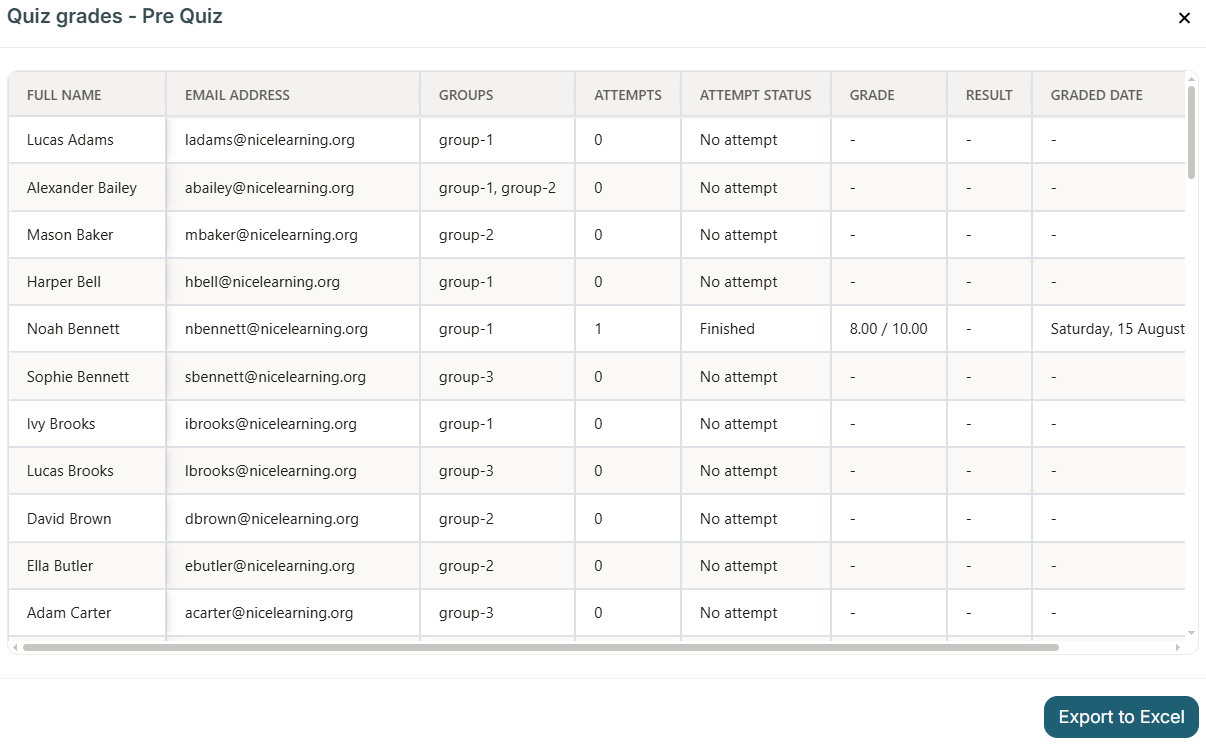
Participant, attempt, and grade information is retrieved dynamically according to the quiz configuration and the active report filters.
Quiz Table Customization
You can customize the Quizzes table using the report preferences. This allows you to:
- Choose which quiz columns are displayed
- Hide columns that are not required
- Reorder the quiz columns

The quiz export follows the same column visibility and order configured for the table.
Compare Quizzes
The Compare Quizzes feature allows you to select and compare two or more quizzes.

The comparison displays:
- Full name
- Email address
- Grade for each selected quiz
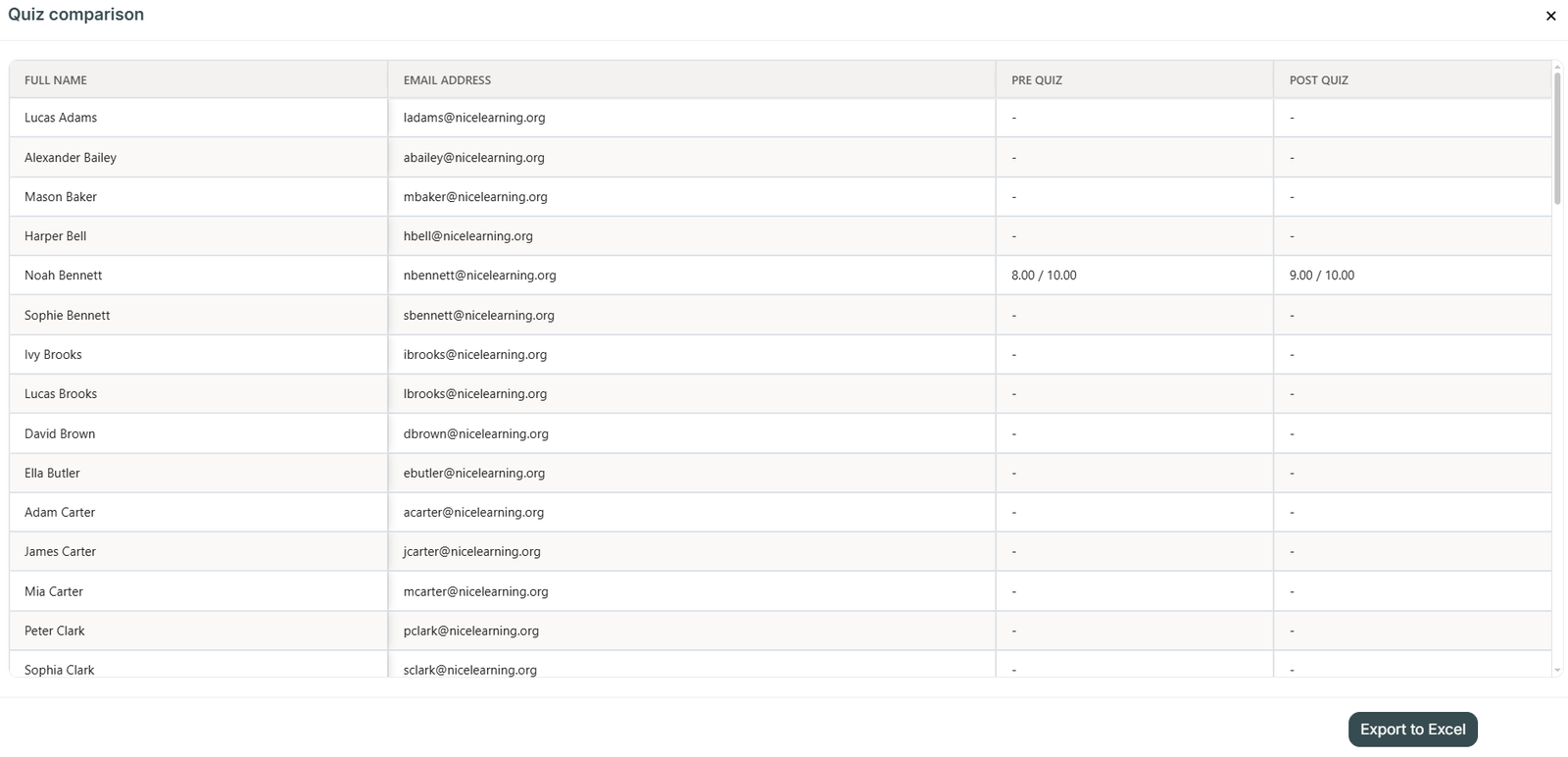
This makes it easier to review and compare participant performance across multiple quizzes from one table.
Export to Excel
You can export:
- The quizzes table
- Participant grades for an individual quiz
- Quiz comparison results
Exports respect the active report filters. The main quizzes export also respects the configured column visibility and order.
Filters
The Quizzes section works with the existing report filters, including:
- Enrollment status
- Enrollment date
- Groups
- Country
- Custom user profile fields
Was this page helpful?