Message Templates
Message templates allow you to create reusable notification content that can be applied to both Instant Notifications and Automated Notifications.
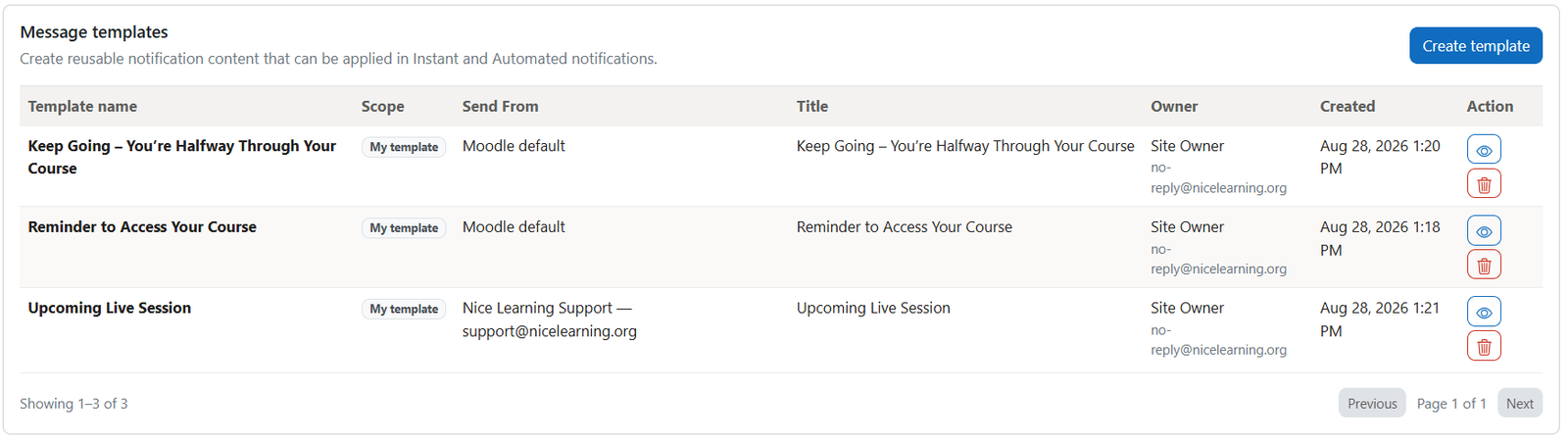
The Message Templates table displays all templates created by users who are authorized to manage notification templates.
When creating a template, complete the following fields:
- Template name: Enter a clear internal name that helps users identify the template.
- Title: Enter the notification title that recipients will see.
- CC: Add email addresses that should receive a copy of the notification.
- BCC: Add email addresses that should receive a hidden copy of the notification.
- Send From: Select the email account that will be used as the default sender.
- Personalization tokens: Insert dynamic recipient, sender, course, or site information into the notification.
- Message: Create and format the reusable notification content using the rich-text editor.
Was this page helpful?
Please tell us what went wrong.
255 characters remaining
Thanks! Your feedback helps us improve this page.
Please wait a few seconds before trying again.