Custom Email
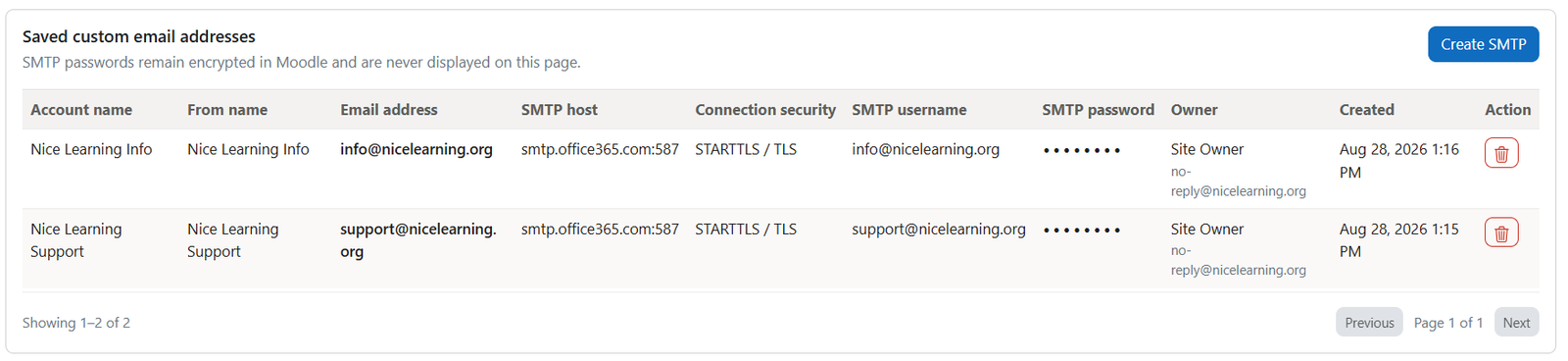
Site administrators can configure additional sender email accounts for notifications delivered through the Email channel.
Navigate to:
Site administration → Plugins → Local plugins → Nice notification
Saved accounts will appear as options in the Send From field when creating an instant or automated notification.
Click Create and complete the following fields:
- Account name: An internal name used to identify the email account.
- From name: The sender name displayed to recipients.
- Email address: The email address from which notifications will be sent.
- SMTP host: The hostname or address of the outgoing mail server.
- SMTP port: The port used to connect to the SMTP server.
- Connection security: The security method required by the SMTP server.
- SMTP username: The username used to authenticate with the SMTP server.
- SMTP password: The password used to authenticate with the SMTP server.
Note: SMTP passwords are encrypted and securely stored in Moodle. They are never displayed on this page after being saved.
Was this page helpful?
Please tell us what went wrong.
255 characters remaining
Thanks! Your feedback helps us improve this page.
Please wait a few seconds before trying again.