Multi-Course Report
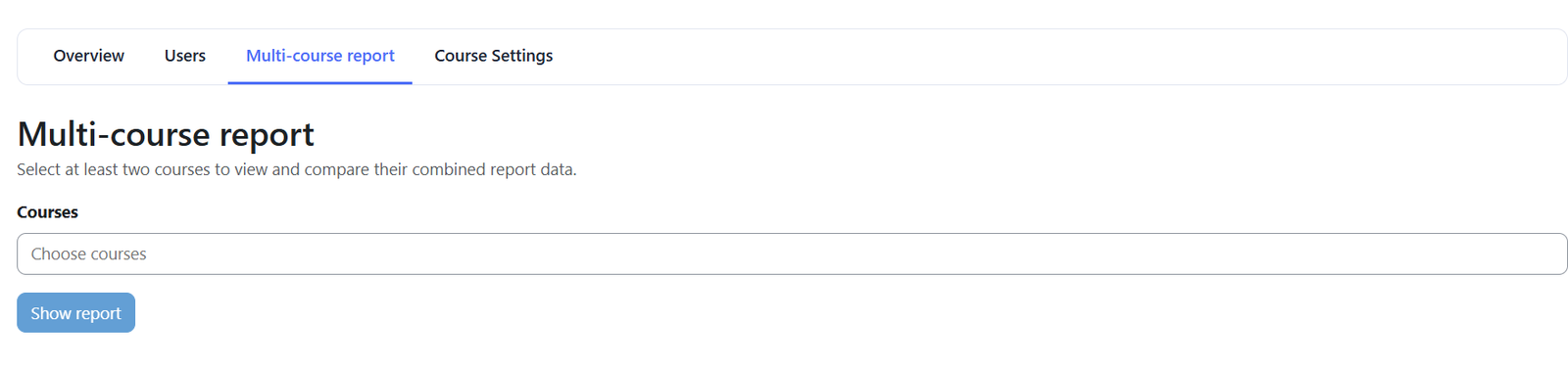
The Multi-Course Report allows you to compare reporting information across two or more courses in a single report.
To generate the report, select at least two courses and click Show Report. The report will then combine information from the selected courses and present the same major reporting areas available at the individual course level.
What You Can See
The Multi-Course Report includes:
- Charts
- Overview
- Assignments
- Quizzes
- Course Content
- Students
- Groups
This allows administrators and managers to compare course activity, participation, progress, and learning content without opening each course report separately.
Selecting Courses
To create a Multi-Course Report:
- Select at least two courses.
- Click Show Report.
- The report will display the combined information for the selected courses.
You can then move between the available report sections to review and compare the selected courses.
Report Sections
The Charts, Overview, Assignments, and Quizzes sections provide the same features and information available at the course level, but include data from all selected courses.
The Students, Course Content, and Groups sections follow the same course-level reporting features, with the following differences in how the information is organized.
Students
Student records are grouped by username and email.
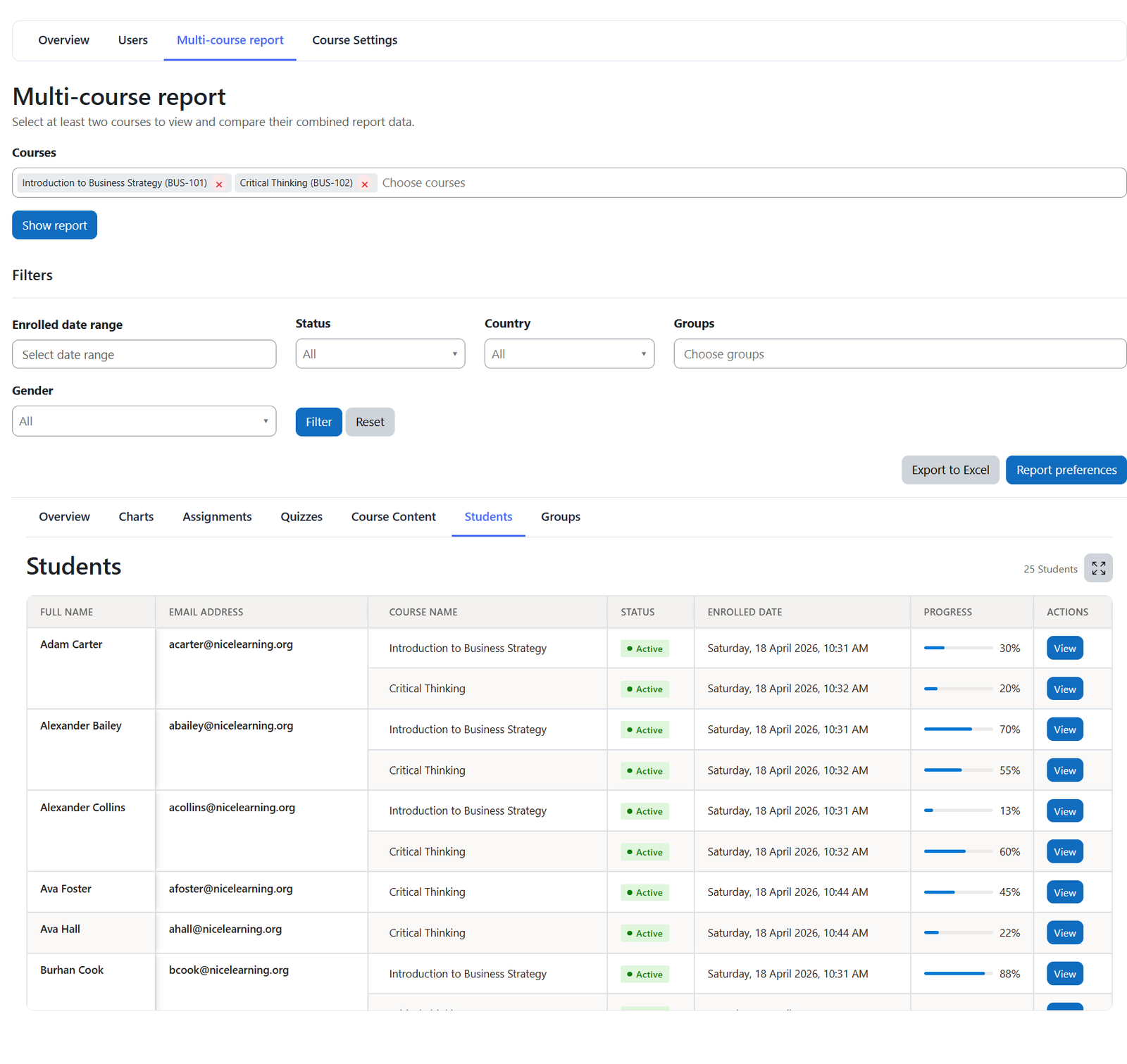
Each user is displayed once, with the selected courses in which the user is enrolled shown underneath the username together with the user's progress and other relevant course-level information.
This makes it easier to review the same student's participation and progress across multiple courses.
Course Content
Course content is grouped by course.
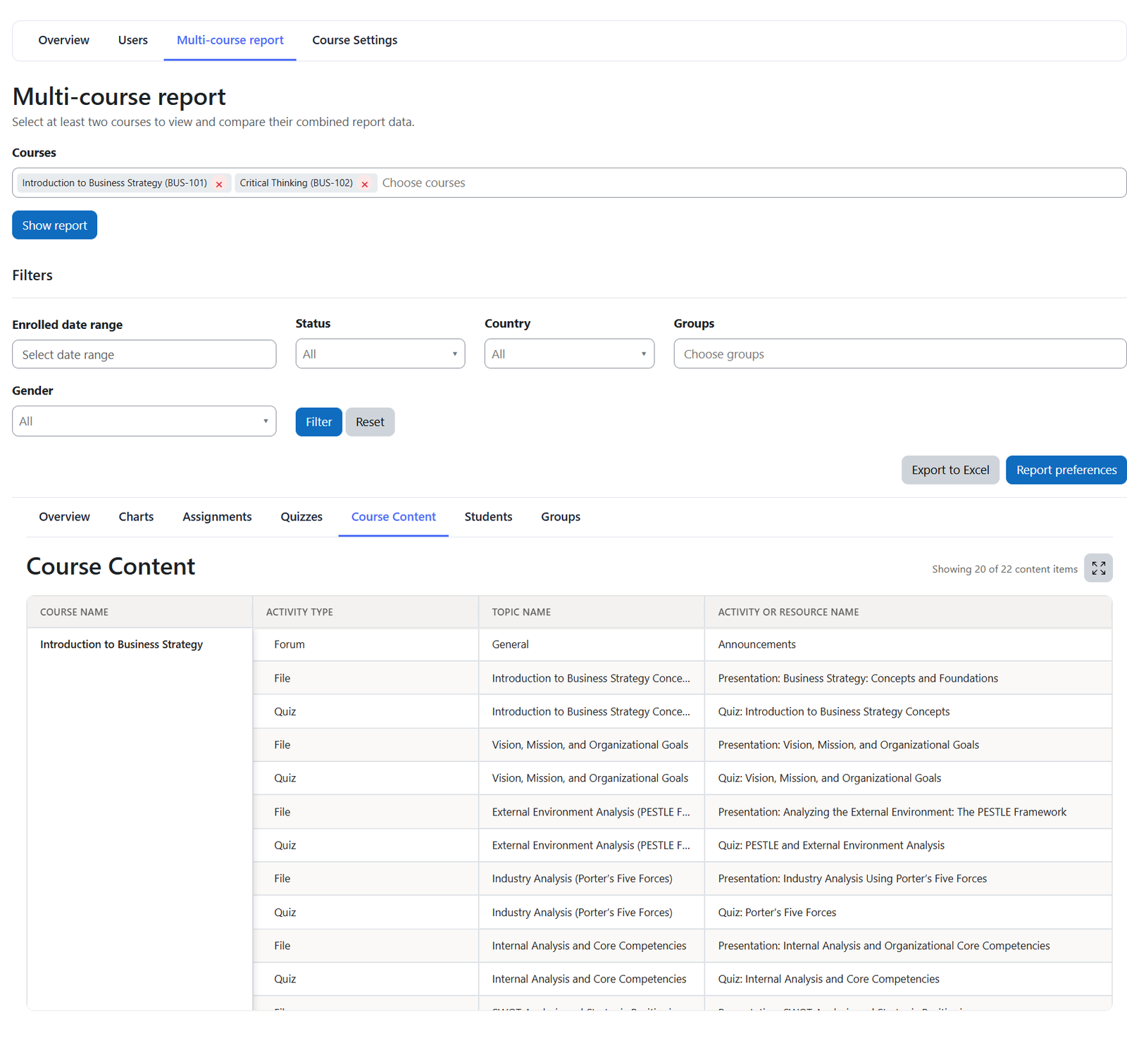
Each selected course is displayed with its corresponding course content underneath it, making it easy to distinguish the activities and resources belonging to each course.
Groups
Groups are organized by group name.
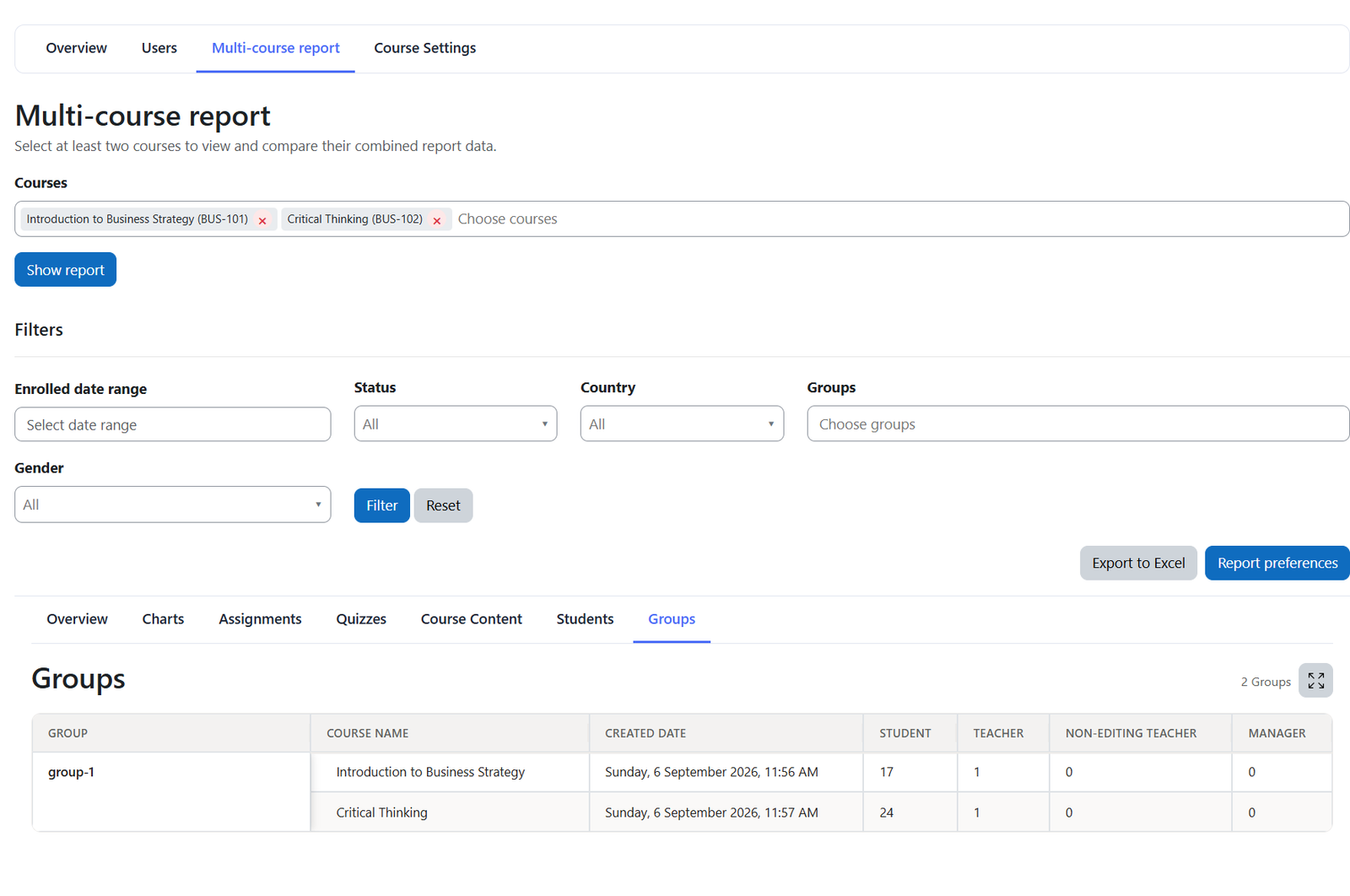
If the same group name exists in more than one selected course, the courses containing that group are displayed together underneath the same group name.
This makes it easier to review groups that are shared or consistently named across multiple courses.
Using the Multi-Course Report
The Multi-Course Report provides a convenient way to compare several courses without opening each course report separately.
It is particularly useful for reviewing student progress across courses, comparing course activity, examining course content, and reviewing groups across multiple courses from one consolidated reporting page.
Was this page helpful?